
WordPress still runs a large share of the internet, but it’s no longer the automatic choice it once was for a new website or redesign.More businesses are actively evaluating WordPress alternatives before committing to their next build, and the reasons are practical not trendy.
The reasons are practical, not trendy. Plugin conflicts break sites after routine updates. Core Web Vitals scores suffer under bloated themes. Security patches turn into a recurring line item on the dev budget. For teams that just want a fast, manageable website, WordPress increasingly feels like more infrastructure than the job requires.
This guide compares the ten platforms businesses are actually switching to in 2026, explains who should still stick with WordPress, and walks through a complete migration framework – from audit to launch so a platform switch does not cost you rankings or traffic.
WordPress Alternatives Comparison (2026)
If you’re looking for a quick answer, here’s a snapshot of the best WordPress alternatives based on different business needs.
| Platform | Best For |
| Webflow | Marketing websites, SaaS, and businesses needing design flexibility |
| Shopify | Ecommerce stores and online retailers |
| Ghost | Blogging, newsletters, and publishers |
| Framer | Landing pages, startups, and fast website launches |
| Wix Studio | Agencies managing multiple client websites |
| Drupal | Enterprise websites with complex permissions |
| Contentful | Headless CMS and omnichannel content delivery |
| Strapi | Developer-first API-driven projects |
| Sanity | Structured content and collaborative editing |
| HubSpot CMS | Marketing teams using HubSpot CRM |
Why Businesses Are Looking for WordPress Alternatives
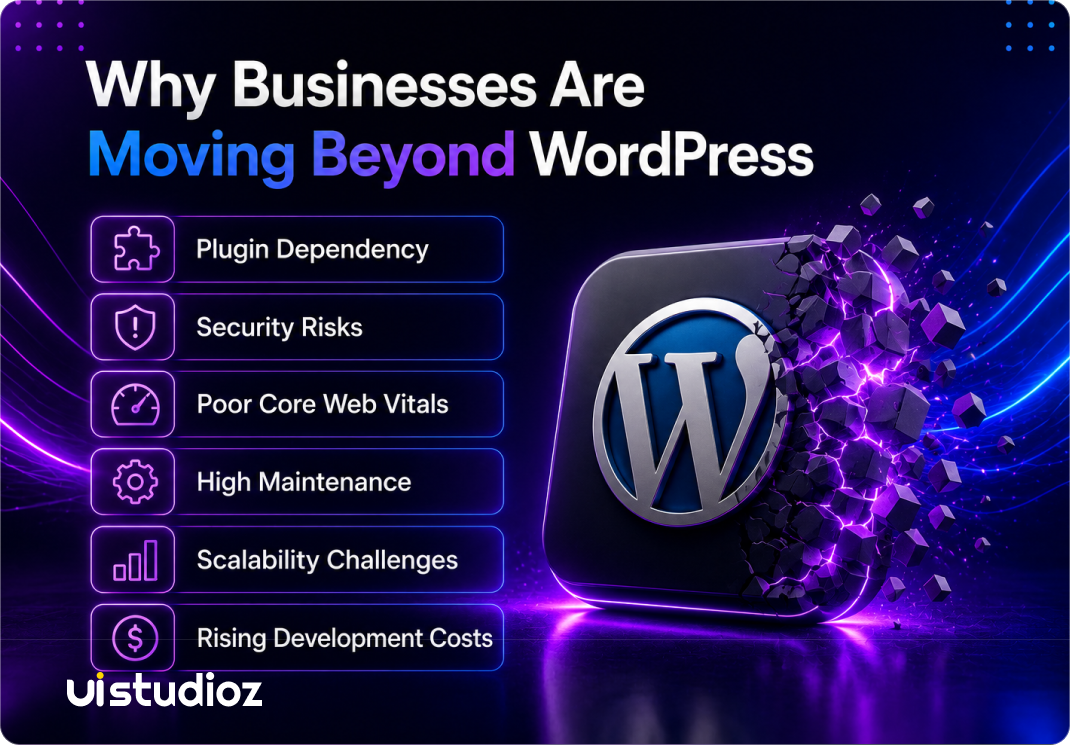
Plugin dependency is the most common complaint. A typical WordPress business site runs 20–40 plugins for forms, SEO, caching, security, and page building. Each one is a separate piece of software that needs updates, and each update carries a risk of breaking something else on the site.
Security exposure compounds the problem. Because WordPress plugins and themes are built by thousands of independent developers, vulnerability patching is inconsistent. Sites running outdated plugins are the most common entry point for attacks, which is why WordPress security has become a standing line item for agencies rather than a one-time setup task.
Performance and Core Web Vitals are harder to control on WordPress than on platforms built with hosting and rendering baked in. Heavy page builders like Elementor or WPBakery add render-blocking scripts, and shared hosting environments often can’t keep Largest Contentful Paint and Interaction to Next Paint within Google’s thresholds without significant optimization work.
Ongoing maintenance rarely stops. Core updates, plugin updates, theme updates, and database cleanup are recurring tasks – not something a business sets up once and forgets. Many teams calculate the real cost of a WordPress site and find that maintenance hours over three years exceed the platform’s “free and open-source” reputation.
Scalability becomes a concern once a site grows past a few hundred pages or needs multiple content editors working at once. WordPress can technically scale, but it needs specialized hosting, caching layers, and database tuning to do it cleanly – work that modern CMS platforms handle by default.
Rising development costs round out the picture. Custom WordPress builds now often cost as much as a Webflow or Framer project, without the built-in hosting, security, and performance benefits those platforms include in the price.
Who Should Still Use WordPress?
WordPress remains the right choice for specific situations, and a fair comparison has to say so.
- Content-heavy blogs and publishers with large existing archives, where the migration effort outweighs the benefit.
- WooCommerce stores with deep plugin ecosystems (subscriptions, multi-vendor, complex tax rules) that would be expensive to rebuild elsewhere.
- Businesses with in-house WordPress developers who already know the codebase and can manage it efficiently.
- Teams with limited migration budgets, where a platform switch isn’t the priority this year.
- Sites relying on niche plugins with no equivalent feature on other platforms.
A fair comparison also means acknowledging what WordPress still does well: the sheer size of its plugin ecosystem means there’s usually a tool for almost any feature request, and the pool of available WordPress developers is larger than for any competing platform. That familiarity has real value for teams that already have workflows built around it.
If none of these apply to your business, it’s worth comparing what else is available.
Best WordPress Alternatives at a Glance
| Platform | Best For | Starting Price |
| Webflow | Marketing websites & overall replacement | $14/month |
| Framer | Designers & fast-launch sites | $5/month |
| Wix Studio | Agencies needing client handoff | $29/month |
| Shopify | Ecommerce | $39/month |
| HubSpot CMS | Marketing teams tied to CRM data | $20/month |
| Contentful | Headless CMS, multi-channel content | Free tier available |
| Ghost | Blogging & publishing | $9/month |
| Drupal | Enterprise & complex permissions | Free (self-hosted) |
| Strapi | API-first, developer-controlled projects | Free (self-hosted) |
| Sanity | Flexible structured content | Free tier available |
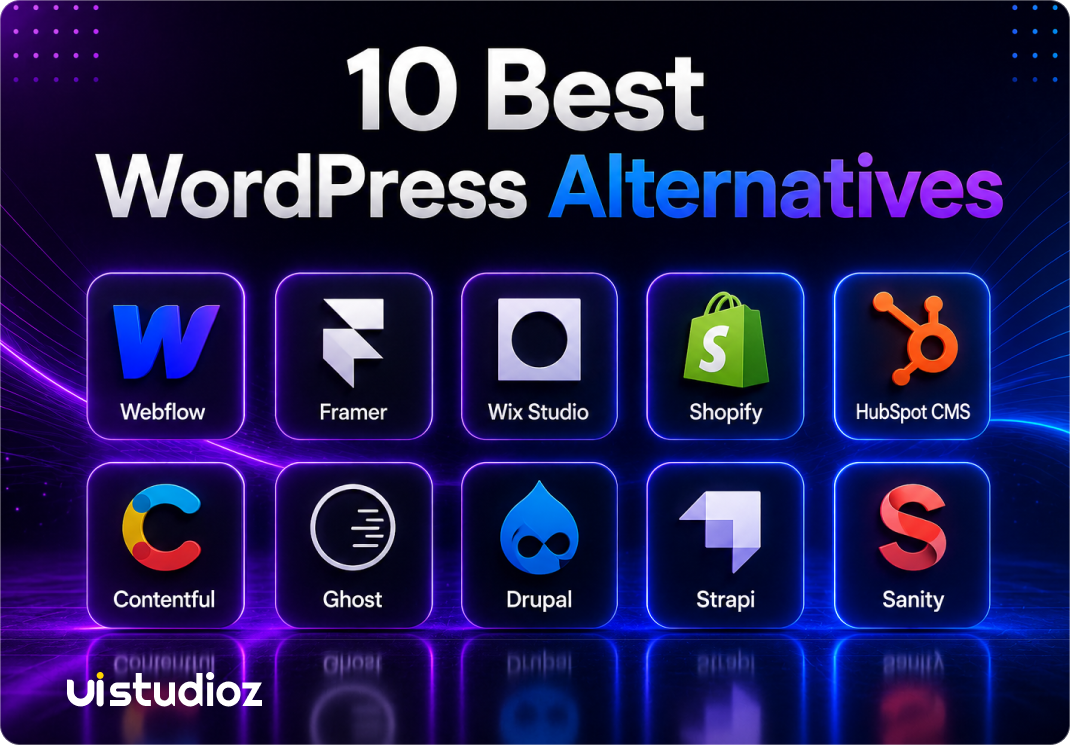
10 Best WordPress Alternatives in 2026
1. Webflow
Webflow combines a visual design canvas with a real CMS, hosting, and clean code output. It’s the platform most agencies recommend when a business wants WordPress-level content flexibility without the plugin stack.
Strengths: Fast default performance, no plugin maintenance, native SEO controls (canonical tags, custom meta fields, auto sitemaps), and a visual editor marketing teams can use without developer support.
Trade-off: The learning curve for advanced interactions is steeper than a page builder.
Pricing: Plans start around $14/month for a basic site, with CMS and business plans scaling based on traffic and CMS items.
Best for: Marketing websites, SaaS companies, and agencies that want design control plus editorial independence. A proper Webflow development build, paired with dedicated Webflow design work, gives non-technical teams the same publishing freedom WordPress promised – without the maintenance overhead.
2. Framer
Framer started as a design tool and evolved into a full website builder with AI-assisted layout generation. It’s popular with designers who want to go from Figma-style concept to live site fast.
Strengths: Extremely fast to launch, strong for pre-seed and early-stage sites, built-in AI design suggestions.
Trade-off: CMS depth is limited once a blog grows past roughly 30 posts or needs multi-team editing a gap that shows up clearly when comparing Webflow vs Framer for SaaS websites.
Best for: Portfolios, early-stage startups, and landing pages that need to ship in days, not weeks.
3. Wix Studio
Wix Studio is Wix’s agency-focused product, built for teams managing multiple client sites with reusable design systems and client handoff permissions.
Strengths: Fast build speed, built-in hosting, agency collaboration tools.
Trade-off: Less design flexibility than Webflow for highly custom, brand-specific layouts.
Best for: Agencies producing volume client work under 50 pages per site.
4. Shopify
Shopify remains the standard for ecommerce, and it’s rarely a close call. WooCommerce on WordPress requires stitching together payment gateways, inventory plugins, and security patches; Shopify ships all of it as one managed platform.
Strengths: Built-in payments, inventory, shipping integrations, and PCI compliance handled for you.
Trade-off: Monthly transaction fees unless you use Shopify Payments; content flexibility outside the store is limited compared to a CMS-first platform.
Best for: Any business selling products online, from single-product stores to multi-brand retailers.
5. HubSpot CMS
HubSpot CMS ties website content directly to CRM and marketing automation data, so landing pages can personalize based on lead lifecycle stage.
Strengths: Native CRM integration, smart content personalization, built-in A/B testing.
Trade-off: Pricing scales quickly once you need more contacts or advanced marketing features.
Best for: Marketing teams already running HubSpot for sales and lead nurturing.
6. Contentful
Contentful is a headless CMS: content lives in a structured repository and gets delivered via API to any frontend – website, app, or kiosk.
Strengths: True omnichannel content delivery, strong developer tooling, enterprise-grade content modeling.
Trade-off: Requires a development team to build and maintain the frontend; there’s no built-in visual page editor.
Best for: Enterprises publishing the same content across a website, mobile app, and other digital touchpoints.
7. Ghost
Ghost is a purpose-built publishing platform for writers and independent media, with native newsletter and paid-membership tools.
Strengths: Fast, minimal, built for long-form writing; membership and subscription billing included.
Trade-off: Not designed for marketing sites with complex page layouts or ecommerce.
Best for: Independent publishers, newsletters, and content-first blogs.
8. Drupal
Drupal is open-source like WordPress, but built with enterprise permissions, multi-site management, and complex data structures in mind from the start.
Strengths: Granular user roles, strong multilingual support, handles very large content volumes well.
Trade-off: Requires experienced developers; the learning curve is the steepest on this list.
Pricing: Free and open-source, but hosting, development, and ongoing maintenance costs are comparable to or higher than an enterprise WordPress build.
Best for: Government, higher education, and large enterprises with complex governance needs.
9. Strapi
Strapi is an open-source, API-first headless CMS that developers self-host and fully control.
Strengths: No vendor lock-in, flexible content types, self-hosted so there’s no platform subscription fee.
Trade-off: No built-in hosting or frontend – engineering effort is required end-to-end.
Best for: Development teams building custom frontends (Next.js, Vue, mobile apps) who want full control of the content layer.
10. Sanity
Sanity is a headless CMS built around real-time collaborative editing and highly flexible content schemas.
Strengths: Structured content modeling, real-time collaboration, strong developer experience with its query language (GROQ).
Trade-off: Like other headless platforms, it needs a frontend built separately.
Best for: Teams running content across multiple properties who need a content model that isn’t locked to a single frontend.
Feature Comparison Matrix
Use case fit is only part of the decision. This matrix scores the six most-requested platforms against the criteria that actually affect day-to-day operations.
| Feature | Webflow | Framer | Wix Studio | Shopify | Drupal | Contentful |
| SEO controls | Strong, native | Good | Good | Strong for product SEO | Strong, needs config | Depends on frontend |
| Performance | Strong | Strong | Good | Strong | Good, needs tuning | Depends on frontend |
| Hosting | Included | Included | Included | Included | Self-managed | Not included |
| Security | Managed | Managed | Managed | Managed | Self-managed | Managed (content layer only) |
| CMS depth | Strong | Moderate | Moderate | Strong for products | Very strong | Very strong |
| Scalability | High | Moderate | Moderate | High | Very high | Very high |
| Ease of use | Moderate | High | High | High | Low | Low (needs developer) |
| Maintenance | Low | Low | Low | Low | High | Moderate (backend) + frontend effort |
The pattern is consistent: platforms with included hosting and managed security (Webflow, Framer, Wix Studio, Shopify) trade some raw scalability for lower maintenance. Drupal and headless platforms like Contentful flip that trade-off – more power and scale, but more engineering time required to run them.
WordPress vs Webflow: The Head-to-Head Comparison
Webflow is the alternative most businesses compare WordPress against directly, so it’s worth a closer look.
| Factor | WordPress | Webflow |
| Hosting | Separate purchase, self-managed | Included |
| Plugin updates | Manual, ongoing | None – platform-managed |
| Core Web Vitals | Depends on theme/plugin stack | Strong by default |
| Security patching | Site owner’s responsibility | Handled by Webflow |
| Content editing | Native, plugin-dependent for structure | Native CMS collections |
| Custom code | Full access | Available, but not required |
The performance gap is the one businesses notice fastest. Webflow renders clean, minified code without the extra plugin scripts that typically slow WordPress pages down, which is a big part of why Webflow’s UX design directly supports stronger SEO outcomes compared to a heavily plugin-dependent WordPress build.
Maintenance is the other deciding factor. A WordPress site needs someone checking for plugin conflicts every time an update ships. A Webflow site, supported by ongoing Webflow SEO services, removes that maintenance cycle entirely because hosting, security, and core updates are handled by the platform.
Which Platform Performs Best?
Performance comes down to four factors: how the platform serves images, how much JavaScript loads on each page, whether a CDN is included, and how far the hosting is from the visitor.
Webflow, Framer, Wix Studio, and Shopify all include a global CDN and automatic image optimization by default, which is why their Core Web Vitals scores are consistently strong without extra configuration. WordPress can match that performance, but only with additional caching plugins, a CDN subscription, and an image optimization plugin – three extra dependencies that a business has to purchase, configure, and maintain separately.
Which Platform Requires the Least Maintenance?
Maintenance load is really a question of who is responsible for updates: the platform or the site owner.
On Webflow, Framer, Wix Studio, and Shopify, core software updates, security patches, and hosting maintenance are handled entirely by the platform. There is no plugin compatibility to test and no server to patch. WordPress and Drupal both put that responsibility on the site owner or their developer – every plugin, theme, and core update needs to be tested before it goes live, and skipping updates is how most WordPress sites get compromised.
How to Choose the Right WordPress Alternative for Your Business
The “best” platform depends on what your team actually does day to day, not a generic feature checklist.
Startups and SaaS companies usually need to launch fast, iterate on messaging weekly, and eventually scale content without rebuilding the site. Framer works for the first few months; once the blog and integrations grow, most teams migrate to Webflow, a pattern covered in more detail in why SaaS startups choose Webflow for faster growth.
Agencies managing several client sites benefit from Wix Studio’s collaboration tools or Webflow’s component system, both of which cut repetitive build work.
Marketing teams tied closely to CRM data get the most value from HubSpot CMS, since content and lead data live in one system.
Enterprise organizations with complex permissions and multilingual requirements are better served by Drupal or a headless setup like Contentful.
Ecommerce businesses should default to Shopify unless the store needs to sit inside a much larger content-heavy site.
Blogs and publishers get the cleanest experience from Ghost, which is purpose-built for long-form writing and subscriptions.
Real Business Use Cases
| Business Type | Recommended Platform | Why |
| SaaS | Webflow | Handles marketing pages, docs, and a scaling blog without engineering support |
| Startup | Webflow | Fast to launch, low maintenance, room to grow into complex content later |
| Agency | Webflow | Component reuse across client sites, strong client handoff permissions |
| Ecommerce | Shopify | Payments, inventory, and shipping built in – no plugin stack to maintain |
| Enterprise | Drupal | Granular permissions and multilingual support for large, complex sites |
| Publisher | Ghost | Purpose-built for long-form writing, newsletters, and paid subscriptions |
| Marketing Team | HubSpot CMS | Content and CRM data live in the same system for personalization |
| Headless Project | Contentful | One content repository feeding a website, app, and other channels |
WordPress Migration Guide: A 4-Phase Framework
Switching platforms is a project, not a single click. If you’re specifically weighing whether a WordPress-to-Webflow migration is right for your business, this framework covers what a well-run migration actually looks like, phase by phase.
Phase 1 : Planning & Website Audit (Week 1–2)
Start with a full content inventory: every page, blog post, image, and form on the current WordPress site. Run a URL audit to map which pages currently rank and drive traffic. Pull a technical SEO audit covering meta titles, structured data, and existing backlinks. Back up the entire WordPress database and file system before touching anything.
Phase 2 : Website Setup & Testing (Week 3–4)
Build the new site on the target platform in a staging environment. Configure the CMS structure (collections, content types, custom fields) to match or improve on the old site’s organization. Set up technical SEO fundamentals – canonical tags, redirect mapping, schema markup – before content migration begins.
Phase 3 : Content Migration (Week 5–6)
Migrate pages, blog posts, and images while preserving meta titles, meta descriptions, and schema markup exactly where they still apply. Map every old URL to its new equivalent and prepare 301 redirects for each one – this step alone determines whether the migration preserves search rankings. Rebuild internal linking so no page ends up orphaned on the new site. Teams using Webflow migration services typically handle this mapping as a single structured spreadsheet before any redirect goes live.
Phase 4 : Launch & Monitoring (Week 7–8)
Update DNS, activate the 301 redirects, and submit the new XML sitemap to Google Search Console. Update robots.txt to confirm the new site is crawlable. Run a full crawl test to catch broken links or missing pages before announcing the launch publicly. For the following 30–60 days, monitor organic traffic, keyword rankings, and crawl errors closely – this window is where most ranking recovery (or loss) becomes visible, a process detailed further in migrating to Webflow without losing SEO rankings.
Website Migration Checklist
- Full website backup before starting
- Complete URL mapping (old → new)
- 301 redirects for every changed URL
- Metadata and canonical tags migrated
- Structured data preserved or rebuilt
- Internal links updated, no orphaned pages
- XML sitemap submitted to Google Search Console
- Google Analytics and Search Console reconnected
- QA and performance testing before launch
- Post-launch monitoring for 30–60 days
Best Tools for WordPress Migration
A handful of tools cover most of the technical work in a migration:
- Screaming Frog – crawls the existing WordPress site to build a full URL inventory before anything moves.
- Google Search Console – tracks indexing status, crawl errors, and ranking changes before, during, and after launch.
- Google Analytics – provides the traffic baseline needed to confirm the new site isn’t losing visitors post-launch.
- Ahrefs or Semrush – identifies which pages currently hold backlinks and rankings worth protecting with a redirect.
- Google PageSpeed Insights – benchmarks Core Web Vitals on the old site and confirms improvement on the new one.
- A redirect-mapping spreadsheet – the single most important artifact in any migration; every old URL needs a documented destination before DNS changes.
Common WordPress Migration Mistakes to Avoid
Missing redirects are the single biggest cause of traffic loss after a migration. Every URL that changes needs a 301 redirect, not a blanket redirect to the homepage.
Losing metadata happens when teams migrate content manually and skip meta titles or descriptions in the process, which resets pages back to generic defaults.
Broken internal links confuse both users and search engine crawlers, and they dilute the link equity built up over years of WordPress content.
Ignoring canonical tags can create duplicate content issues between the old and new domain during the transition period.
Skipping staging environment testing means launch-day bugs get discovered by visitors instead of the team, which is avoidable with a proper QA pass before DNS changes.
How Much Does WordPress Migration Cost?
Migration cost depends heavily on site size, content volume, and how much custom functionality needs to be rebuilt.
DIY migration costs the least in cash but the most in time – realistic for very small sites (under 20 pages) with a technically confident owner.
Freelancer migration typically fits small-to-mid-size business sites, though quality and post-launch support vary widely by freelancer.
Agency migration covers full planning, redesign, SEO migration, QA, and post-launch monitoring as one managed project – the most predictable path for a business that can’t afford ranking loss during the switch. Agencies like Uistudioz handle this end-to-end, including Webflow integration services for CRMs, forms, and analytics tools the old WordPress site relied on.
Enterprise migration scales with page count, custom functionality, and compliance requirements (SSO, accessibility audits, multilingual content), and usually spans several months.
As a rough guide: a small business site (under 20 pages) typically falls in the low hundreds to low thousands of dollars for a freelancer-led migration. A mid-size site with a blog and integrations moves into the mid-thousands with an agency. Enterprise migrations involving compliance, multilingual content, or custom functionality can run well beyond that, spread across a multi-month project timeline. These figures vary by region and provider, so treat them as a planning baseline rather than a fixed quote.
Conclusion
WordPress isn’t going away, and for content-heavy blogs or established WooCommerce stores, switching platforms may not be worth the effort. But for businesses tired of plugin conflicts, slow Core Web Vitals scores, and recurring maintenance bills, the wordpress alternatives above solve real, specific problems – not just newer versions of the same trade-offs.
The right platform depends on your business goals, technical resources, and long-term growth plans. If a move to Webflow is on the table, planning the SEO migration properly from day one and lining up ongoing Webflow maintenance after launch is what separates a smooth switch from a traffic drop. Get in touch with Uistudioz to plan a WordPress-to-Webflow migration that protects your rankings and gives your team a website they can actually manage.

Frequently Asked Questions
What is the best WordPress alternative?
There isn’t a single best option – Webflow suits most marketing and business websites, Shopify is the clear choice for ecommerce, and Contentful fits enterprises needing headless content delivery.
Is Webflow better than WordPress?
For marketing websites, Webflow generally performs better on speed, security, and maintenance because hosting and updates are built into the platform rather than managed separately.
Which CMS is easiest to manage without a developer?
Webflow, Wix Studio, and Shopify are all built for non-technical teams to manage content, design updates, and publishing without ongoing developer support.
Which CMS is best for SEO?
Webflow and Shopify both include strong native SEO controls out of the box; WordPress can match them but typically needs an SEO plugin and manual configuration to get there.
Should I hire a professional migration agency?
For any site with meaningful organic traffic, a professional migration reduces the risk of losing rankings – redirect mapping and metadata preservation are easy to get wrong without experience.
Which WordPress alternative is best for small businesses?
For most small businesses, Webflow offers the best balance of design flexibility, SEO, security, and low maintenance. Shopify is the better choice for ecommerce, while Ghost works well for content-focused websites.