Your SaaS product is ready. Your team is moving fast. But your website keeps getting in the way.
Every pricing page update needs a developer ticket. Every new landing page sits in a sprint backlog. Every A/B test takes two weeks to ship. This is the daily reality for SaaS teams still running on WordPress or legacy CMS platforms.
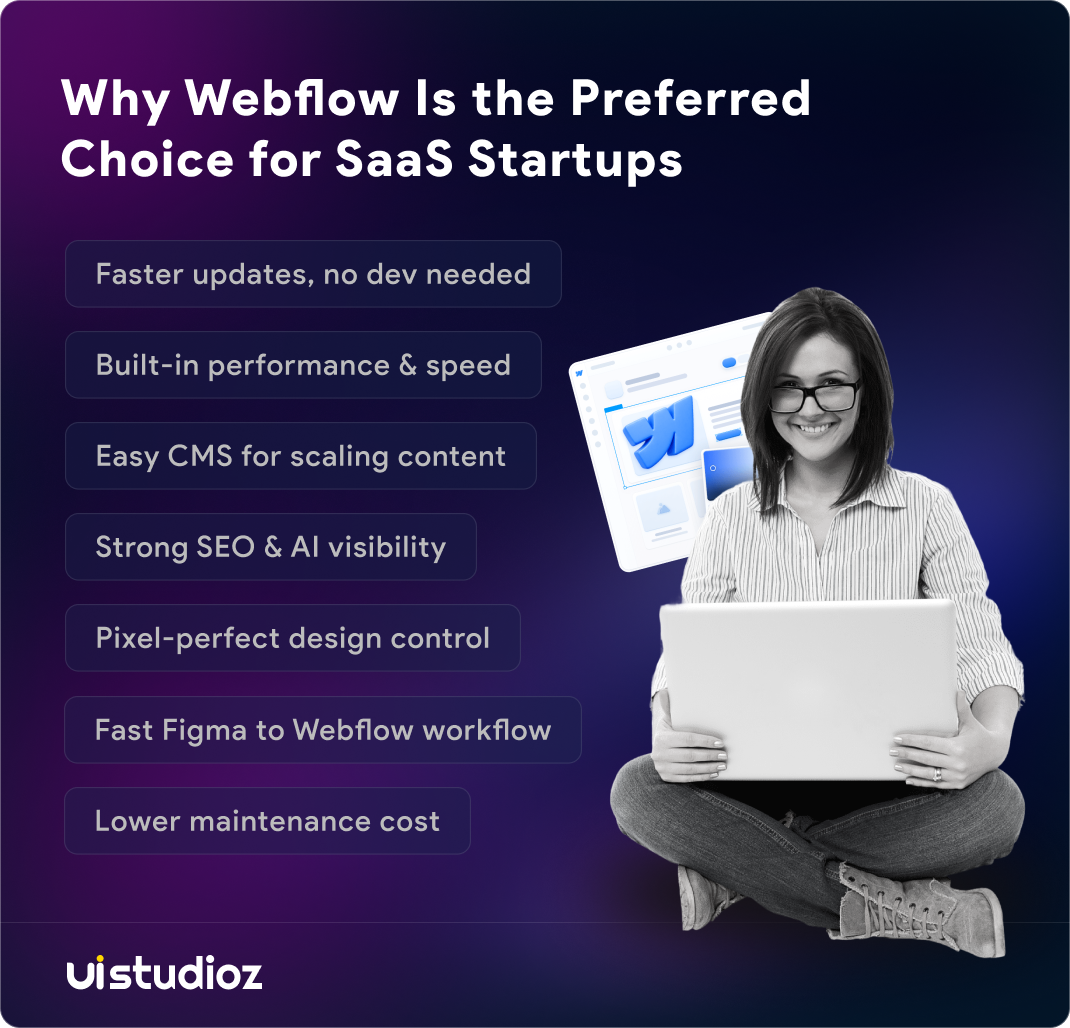
That is why webflow for saas startups has become the practical choice for growth-focused teams in 2026. Not because it is trending — but because it solves a real operational problem. It gives marketing teams the independence to move at growth speed, without pulling engineers away from the product.
Here is exactly why that shift is happening — and what it means for your growth.
What Makes Webflow Different for SaaS Startups
Most website platforms were built for blogs or e-commerce stores. SaaS marketing sites have different demands: fast iteration, clean code, high-converting landing pages, and a CMS that a non-technical marketer can actually use without breaking anything.
Webflow is built around a visual canvas that outputs production-ready HTML, CSS, and JavaScript. There are no themes to fight, no plugin stack to maintain, and no deployment pipeline to manage. You design it, you publish it — done.
For a Webflow SaaS website, this means your marketing team works independently. They build new pages, update copy, and run experiments without opening a single engineering ticket. That is a meaningful operational advantage when your product team is heads-down building features and your growth team needs to move in parallel.
This is also why leading SaaS companies trust Webflow for their marketing sites. Jasper AI built a 150+ page site on Webflow to support its hypergrowth in the AI space. Lattice, the B2B HR platform, uses Webflow to scale its content marketing. Upwork and Dropbox Sign have both migrated key parts of their web presence to Webflow. These are deliberate platform decisions by growth-focused teams — not experiments.
If you are evaluating how Webflow fits your specific SaaS model, UIstudioz is a specialist Webflow agency with a dedicated Webflow for SaaS service built around these exact requirements.
1. Marketing Teams Stop Waiting on Engineering
The most common complaint from SaaS marketing leads is wait time. A simple headline change on the pricing page takes four days. A new campaign landing page takes two weeks. These delays are not caused by slow engineers — they are caused by a platform that was not built for marketing velocity.
Webflow removes that bottleneck. Marketers and designers build, edit, and publish pages directly — no developer required for most tasks. A new landing page for a product launch goes live in hours. Copy changes happen in real time.
B2B SaaS teams that move to Webflow consistently report a significant drop in developer tickets related to the marketing site. Engineering gets that time back to focus on the product roadmap. For startups with small teams, this separation of concerns is critical.
Your engineers should be building your SaaS product — not updating homepage banners or resizing images for a campaign post.
This is precisely what our Webflow development service is designed around — building systems where your marketing team has real ownership over the site after launch, without a permanent developer dependency.
2. Performance Is Built In, Not Bolted On
Page speed affects everything in SaaS: SEO rankings, paid acquisition Quality Scores, and trial conversion rates. A site that loads slowly loses visitors before they even see your value proposition.
On WordPress, speed requires ongoing manual work. You install caching plugins, configure CDN settings, optimize images manually, and deal with JavaScript bloat from a growing plugin stack. Even with all that effort, results are inconsistent and often break after a plugin update.
Webflow sites run on AWS infrastructure with a global CDN, automatic SSL, and optimized code output by default. There is no plugin overhead. Clean, semantic HTML is generated automatically on every page.
This matters directly for SaaS companies competing on high-intent keywords. A faster site ranks better in Google, loads more smoothly on mobile, and converts trial signups at a higher rate. Google’s Core Web Vitals — Largest Contentful Paint, Cumulative Layout Shift, and Interaction to Next Paint — are live ranking signals in 2026. Webflow handles all three well by default, without a developer needing to tune the stack after every update.
For SaaS teams investing in Webflow SEO, this clean performance baseline is the technical foundation that makes the rest of the strategy work.
3. The CMS Actually Works for SaaS Content Teams
SaaS marketing sites generate a lot of content: blog posts, case studies, feature pages, comparison pages, changelog updates, testimonials, and integration directories. Managing all of this on a platform that requires developer involvement for structural changes is an ongoing tax on your team’s time.
Webflow’s CMS is built for marketing teams. You create custom content collections — blog posts, customer stories, integrations, team bios — and manage them without touching code. Editors publish new posts, update case studies, and add testimonials on their own.
This is the capability most SaaS teams underestimate when they first evaluate Webflow. The collections system is flexible enough to support complex content structures without a database engineer. You define the fields, set the layout once, and Webflow applies it consistently across every new content item automatically.
No more broken layouts when someone publishes a post with an unexpectedly long title. No more waiting for a developer to add a new field to a case study template. No more content backlogs because the site architecture was not built for the content volume you are now producing.
For SaaS companies running programmatic SEO strategies — per-industry pages, per-integration pages, per-use-case landing pages — Webflow CMS handles this natively. You build one collection template and publish hundreds of structured pages from it. Each new item adds to topical authority, generates internal link targets, and compounds organic visibility over time.
4. SEO and AI Search Visibility Out of the Box
In 2026, ranking in Google is only part of the search equation. AI-generated answers in ChatGPT, Perplexity, Google AI Overviews, and Gemini now appear before traditional results for many high-intent SaaS queries. If your content is not structured for AI citability, you are invisible in a growing share of the buyer research journey.
Webflow has a structural advantage here. It generates clean, semantic HTML by default. Heading hierarchies are consistent. Schema markup can be applied across the site. There is no plugin layer introducing inconsistent structured data or broken markup that confuses crawlers.
AEO — Answer Engine Optimization — is the practice of structuring content so AI search systems can extract and cite it accurately. Webflow announced Webflow AEO on April 13, 2026 — a closed-loop solution pairing AI visibility analytics with agents that recommend and help execute site improvements. The product launched in private beta before Webflow made it generally available to Enterprise customers on May 21, 2026. Running AEO agents began consuming AI credits starting June 29, 2026, which Webflow now bundles across all Workspace plans as part of its broader 2026 pricing overhaul.
Combining Webflow with a dedicated Webflow SEO strategy gives your SaaS site the technical foundation to compete in both traditional and AI-driven search — without patching it through a combination of plugins and workarounds.
For a deeper look at how to set up Webflow’s technical SEO foundations correctly, read our guide on Webflow technical SEO.
5. Design Quality Reflects Your Product Quality
B2B SaaS buyers compare multiple vendors before making a decision. They judge the quality of your software by the quality of your website. A generic template site sends a signal you may not intend — that your product is as undifferentiated as your marketing.
Webflow gives you pixel-level control over design without requiring custom code for every element. Your designers build custom layouts, interactions, and animations that match your actual brand identity — not a theme’s constraints.
This matters directly for conversion. Pricing pages with custom interactive comparisons perform better than static tables. Feature pages with contextual animations explain product value faster than plain text. Campaign landing pages designed for a specific audience outperform generic homepage traffic sent through a form.
A purpose-built Webflow design gives your SaaS site a visual identity that reflects what your product actually does — not what a WordPress theme maker thought SaaS should look like five years ago.
6. The Figma to Webflow Workflow SaaS Teams Actually Use
Most SaaS product and marketing teams design in Figma. It is the standard tool for UI work. But Figma is a design tool, not a production environment. Turning mockups into live pages has historically required a full engineering handoff, days of revision cycles, and an inevitable gap between what was designed and what got built.
The Figma to Webflow workflow changes this. Designers work in Figma, and Webflow becomes the implementation layer. Design tokens, components, and layout structures transfer cleanly. The result is a live site that matches the approved design — not a close approximation.
For SaaS startups in active product development cycles, this matters. You are constantly refreshing landing pages, testing new positioning, and shipping updated feature pages. A Figma-to-Webflow workflow cuts the time between design approval and a live page from weeks to days.
7. SaaS Integrations Without Custom Development
A SaaS marketing site is part of your growth stack. It needs to connect to your CRM, capture leads into email sequences, track user behavior for analytics, and support demo booking flows. Each of these connections has historically required developer time to set up and maintain.
Webflow integrates cleanly with the tools SaaS teams already use:
- HubSpot — form submissions route directly into contact records and trigger nurture sequences automatically
- Intercom — live chat and in-app messaging installs via a single code block
- Google Analytics 4 and Hotjar — tracking and heatmaps deploy through site-wide code injection settings
- Stripe via Memberstack — for gated content, free trial signups, or subscription flows
- Zapier and Make — for connecting form submissions to Slack, Airtable, or custom CRM workflows
These are standard Webflow integration services that the platform is built to support. Setting them up does not require a developer sprint. For SaaS teams that have spent months managing integration breakages from WordPress plugin conflicts, this reliability is immediately noticeable.
8. Total Cost of Ownership Is Lower Than It Looks
WordPress is free to install. The actual cost of running a production-grade SaaS marketing site on it tells a different story.
You need managed hosting, premium SEO and caching plugins, a security layer, a developer-built theme, and ongoing engineering time for maintenance. Each plugin renewal, security patch, and compatibility update adds cost that teams rarely budget for upfront. Over three years, these costs compound significantly.
Webflow operates on a predictable subscription model. Hosting, SSL, CDN, and backups are included. There are no plugin renewal fees, no surprise security patches, and no maintenance overhead burning engineering hours.
For SaaS startups on lean budgets, this math is simpler than it appears. The higher monthly platform fee is more than offset by the drop in maintenance costs, the developer time recovered, and the marketing velocity gained.
For teams currently spending several hundred dollars per month on WordPress maintenance and security, a Webflow migration commonly pays for itself within 12 months through reduced ongoing costs alone — before accounting for the growth gains from faster publishing.
9. Migrating to Webflow: What SaaS Teams Should Know
Many SaaS startups do not begin on Webflow. They start on WordPress, Framer, or a custom-coded site. At some point, the operational friction becomes too costly to ignore — and they migrate.
The migration process is more straightforward than most teams expect. A properly planned Webflow migration preserves SEO, handles URL redirection, and maintains traffic continuity. Done correctly, there is no ranking drop and no downtime at launch.
Most SaaS marketing site migrations complete in three to four weeks. The scope includes CMS content migration, design rebuild, SEO preservation, URL redirection mapping, and launch. Complex sites with multi-language content or large CMS libraries take longer, but the timeline remains predictable.
The most common mistake teams make is skipping the SEO and URL architecture planning phase. Redirects that do not cover every legacy URL, missing canonical tags, or unstructured CMS collections cause problems that take months to fix after launch. Planning this correctly upfront protects the organic traffic you have already built.
Our Webflow maintenance services include post-launch monitoring to catch any ranking or performance issues in the first 30 days — before they compound.
10. When Webflow Makes Sense — and When It Does Not
Webflow for SaaS startups is the right choice for most marketing sites. If your use case covers a homepage, pricing page, feature pages, blog, case studies, and campaign landing pages — Webflow handles all of it cleanly.
| Webflow | WordPress | |
| Marketing team autonomy | High — pages ship without developer | Low — most changes need developer or plugin |
| Page performance | Fast by default — AWS + CDN | Variable — depends on hosting and plugins |
| SEO foundations | Built-in — clean code, meta, schema | Plugin-dependent — Yoast or RankMath needed |
| Design flexibility | Pixel-perfect, no theme constraints | Limited by theme unless custom-built |
| Maintenance overhead | Low — no plugin stack to manage | High — plugins, updates, security patches |
| Cost predictability | Fixed monthly subscription | Variable — hosting + plugins + dev time |
| Complex backend logic | Not suitable — needs separate stack | Suitable with custom development |
| Large plugin ecosystem | Limited — native tools cover most needs | Extensive — 59,000+ plugins available |
| User authentication at scale | Requires third-party (Memberstack) | Supported natively |
| Best for | SaaS marketing sites, landing pages, blogs | Content-heavy sites, complex portals |
Here is an honest breakdown of where Webflow works well and where it has real limitations:
There are cases where Webflow is a less natural fit. Complex backend logic, user authentication at scale, or deeply custom product features that go beyond a marketing site require a separate application layer. Most SaaS teams solve this by running Webflow for the marketing site and keeping the product app on a separate subdomain.
The key distinction is this: your marketing site and your product are two different build problems. They have different requirements, different audiences, and different iteration speeds. Webflow is a purpose-built solution for the marketing site. Your engineering team belongs focused on the product.
For SaaS companies that need both — a high-performance marketing site and a product interface that converts — our UI/UX design services cover the product design layer independently.
What to Get Right From Day One
Getting the most from Webflow for B2B SaaS requires the right decisions upfront. A site built with clean CMS structure, reusable components, and solid SEO foundations compounds value over time. A site built quickly without those decisions creates exactly the kind of technical debt you were trying to escape.
CMS architecture — Structure your collections for how your content will grow over 12 months, not just what you need on launch day.
Component library — Build reusable design elements so brand and layout changes propagate across the entire site without manual page-by-page updates.
SEO foundations — Canonical tags, XML sitemaps, metadata structure, and schema markup should be configured correctly before the first page goes live.
CRO setup — Call-to-action placement, form friction reduction, and social proof proximity are Webflow CRO decisions that should be built in from the start, not retrofitted later after conversion rates disappoint.
Working with a specialist agency for your initial build avoids the structural mistakes that negate the platform’s advantages. The platform is powerful. Build quality is what determines results.
Conclusion
SaaS startups are choosing Webflow because it aligns with how modern growth teams actually operate. Marketing teams get the autonomy to move fast. Engineers stay focused on the product. Design quality reflects the product’s real value. SEO and AI search visibility are built into the platform architecture — not held together by a stack of plugins.
Webflow for SaaS companies has moved from niche adoption to mainstream choice. Jasper AI, Lattice, Upwork, and Dropbox Sign have already made the move. The operational advantages they gain — speed, autonomy, performance, and lower maintenance overhead — are available to every SaaS startup that chooses the right platform from the start.
If you are evaluating Webflow for your SaaS marketing site, or looking to migrate from a platform that is slowing your team down, the right technical decisions at the start make all the difference. Contact UIstudioz to discuss what your SaaS site needs.

Frequently Asked Questions
Is Webflow good for SaaS startups?
Yes. Webflow handles SaaS marketing sites at every stage — landing pages, blogs, pricing pages, and case studies. Its CMS, design flexibility, and built-in SEO make webflow for saas startups the practical choice for lean teams without in-house developers.
Why are SaaS companies moving to Webflow in 2026?
Growth teams want marketing autonomy without slowing down engineering. Webflow’s May 2026 pricing update merged its CMS and Business plans into a single Premium tier and added AI credits across all Workspace plans, making advanced features more accessible. Combined with faster publishing and native AEO tooling, this has pushed adoption higher through 2026.
Can a non-technical SaaS founder use Webflow?
Yes. Webflow’s visual canvas needs no coding knowledge for daily publishing. Founders can update pricing pages, launch campaign pages, and manage blog content directly. Custom animations or complex integrations still benefit from a specialist Webflow agency.
What SaaS companies use Webflow?
Several well-known SaaS companies run their marketing sites on Webflow. Jasper AI built a 150+ page site on it. Lattice uses it to scale content marketing, and Upwork and Dropbox Sign have both migrated key parts of their web presence to the platform.
Does Webflow support SaaS integrations like HubSpot and Stripe?
Yes. Webflow integrates with HubSpot, Intercom, Google Analytics 4, Hotjar, Zapier, Make, and Stripe via Memberstack. These cover the core SaaS marketing stack — CRM, analytics, live chat, automation, and subscription management — without custom development.
How long does a Webflow migration take for a SaaS site?
Most SaaS marketing site migrations complete in three to four weeks. This covers design rebuild, CMS content migration, URL redirection mapping, SEO preservation, and launch. Complex sites with multi-language content or large CMS libraries may take longer, but the process is predictable when planned correctly.
What are the limitations of Webflow for SaaS?
Webflow is not built for complex backend logic or product-grade application interfaces. It also no longer supports native user login — Memberstack or Outseta are now required for any membership or gated-content feature. Most SaaS teams solve this by running Webflow for the marketing site and keeping the product app separate.