Why Developers Are Choosing Webflow Over Traditional Development
If you’ve worked in web development recently, you’ve likely noticed a shift. More developers — from freelancers to agency teams – are choosing Webflow over traditional development stacks. And it’s not just hype.
Webflow for developers isn’t about replacing code. It’s about removing the parts of development that slow you down without adding value. In 2026, that matters more than ever. Clients want faster launches. Businesses need flexible, scalable sites. And developers want tools that match their workflow, not fight it.
This article covers the real, practical reasons why developers prefer Webflow, what makes it genuinely better for certain projects, the honest challenges it still has, and what’s coming next.
1. Faster Development Without Sacrificing Quality
Why Speed Matters in Modern Development
Time is a competitive advantage. A startup that launches in 3 weeks beats the one that launches in 3 months — even if the slower build is technically superior. In 2026, fast website development with Webflow is one of the most cited reasons developers and agencies make the switch.
Visual Development + Clean Code Advantage
Unlike WordPress page builders that generate bloated, inconsistent HTML, Webflow produces semantic, structured code. Developers who’ve worked with both describe it clearly: you build visually, but the output is clean. There’s no layer of plugin-generated spaghetti to untangle.
When a Webflow developer sets up a layout, the CSS it generates is logical and maintainable. That’s a rare thing to say about a visual tool.
Faster Client Delivery and Iteration
Webflow’s real-time visual editor means client feedback loops are faster. Instead of pushing code, testing, and re-deploying for a button color change, the designer adjusts it in the editor. Developers keep their focus on the parts that actually require code. This alone can shave days off a typical project timeline.
2. Developers Love the Clean Frontend Structure
Semantic HTML and Cleaner Output
One of the persistent frustrations with traditional CMS platforms is messy HTML output. Webflow’s frontend development approach produces clean, semantic markup by default. Heading hierarchy, alt attributes, ARIA labels — these are all exposed in the interface, not buried in theme files.
For developers who care about accessibility and code quality (which is most of them), this matters.
Responsive Design Made Easier
Webflow responsive design works on a per-breakpoint basis, giving developers precise control over how layouts behave at each screen size. There’s no fighting with generic CSS frameworks or overriding someone else’s media queries. You define the behavior explicitly, visually.
Reduced Dependency on Heavy Plugins
On WordPress, adding a contact form means a plugin. Adding an accordion means a plugin. Adding a slider means another plugin — and then you’re managing 14 plugins, their updates, their conflicts, and their security patches. Webflow handles interactions, forms, CMS, and animations natively, dramatically reducing that overhead.
3. Webflow Makes Collaboration Simpler
Better Workflow Between Designers and Developers
Figma to Webflow development has become a standard workflow for modern product and agency teams. Designers hand off in Figma, developers build in Webflow, and the two tools share a similar mental model around layers, components, and visual structure. There’s far less lost-in-translation friction than a traditional Figma → developer handoff.
Easier Client Feedback and Revisions
With Webflow’s Editor mode, clients can make text and image updates themselves — without touching the design or breaking the layout. Developers aren’t pulled into every small content revision. This is one of the biggest quality-of-life improvements agencies report after switching.
Streamlined Team Collaboration
Webflow development projects live on a shared platform. The designer, developer, and client can all access the same environment. There’s no version control confusion, no FTP uploads, no “which file is the latest one?” problems that plague traditional development projects.
4. Built-In SEO Features Save Time
Clean Site Structure and Meta Tag Management
Webflow SEO features are built into the platform — not bolted on through a plugin. Every page has accessible fields for meta titles, descriptions, Open Graph tags, and canonical URLs. The platform enforces clean URL structures and produces proper heading hierarchies without developer intervention.
For agencies offering Webflow SEO services, this means less setup time and more consistent output across client projects. Learn more about professionalWebflow SEO services that can help maximize your site’s visibility.
Faster Website Performance and Core Web Vitals
Webflow website speed optimization benefits from Webflow’s infrastructure — global CDN, automatic image optimization, and clean asset loading. Sites built properly in Webflow regularly score well on Core Web Vitals without a dedicated performance optimization pass. For SEO in 2026, that’s table stakes.
5. Webflow Helps Developers Build Faster for SaaS and Startups
Rapid MVP Launches and Landing Pages
Webflow for SaaS has become a recognized category. SaaS companies use Webflow for their marketing sites — pricing pages, landing pages, feature pages — while keeping the actual app in React or another framework. This decoupling makes sense: marketing sites change constantly, and Webflow handles that flexibility well.
Webflow for startups specifically addresses the MVP mindset. A well-structured Webflow site can be launched, iterated, and scaled without a full-time developer on retainer.
Scalability for Growing Businesses
A common misconception is that Webflow can’t scale. In practice, the platform handles enterprise websites and high-traffic marketing properties without performance issues. The key is understanding where Webflow excels — content-heavy marketing sites — versus where it hands off to other tools (complex web apps).
6. Powerful CMS Capabilities
Dynamic Content Management
Webflow CMS development gives developers the ability to build structured content collections — blog posts, team members, case studies, product features — that clients can manage through a clean editorial interface. It’s relational enough to handle most marketing site needs without requiring a headless CMS setup.
Easy Client Content Updates
The client experience in Webflow’s CMS is genuinely simple. Non-technical users can add blog posts, update team pages, and manage dynamic content without developer support. This reduces post-launch support tickets significantly.
7. Reduced Maintenance Compared to Traditional Platforms
No Plugin Chaos
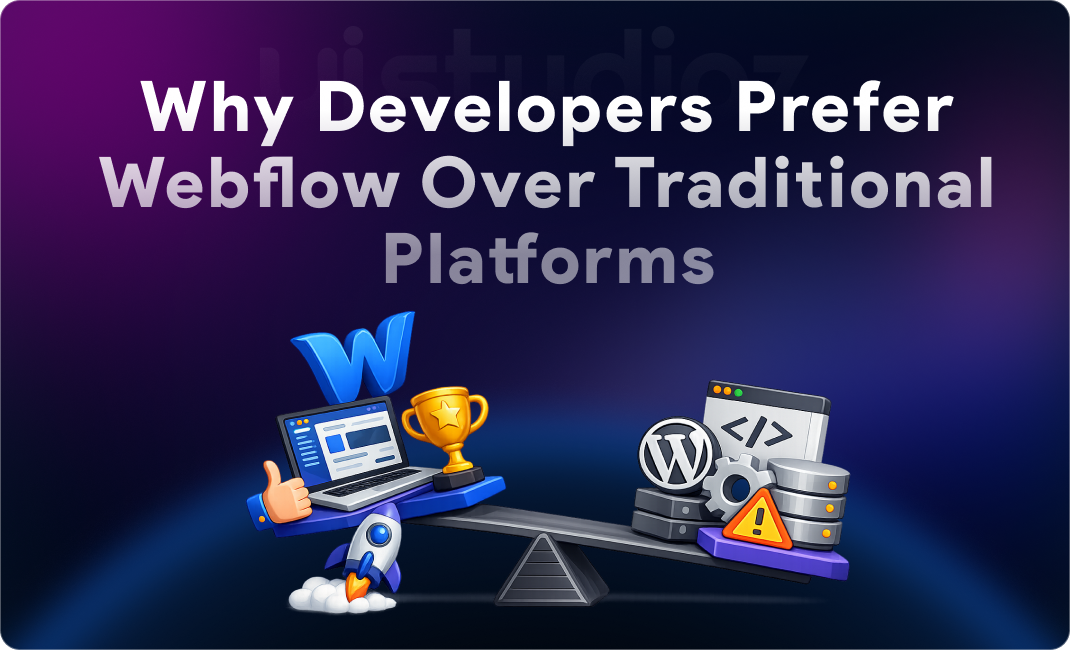
This point deserves repeating: Webflow vs WordPress for developers comes down largely to maintenance overhead. WordPress sites require ongoing plugin updates, security patching, compatibility testing, and hosting management. A typical WordPress site with 10+ plugins is a maintenance liability.
Webflow’s native features eliminate most of that. Fewer moving parts means fewer things to break.
Hosting, Security, and Automatic Updates
Webflow hosts sites on its own infrastructure with SSL included, DDoS protection, and automatic platform updates. Developers don’t manage servers. Security vulnerabilities at the platform level are Webflow’s problem, not yours. For agencies managing multiple client sites, this is a significant operational advantage.
For clients needing ongoingWebflow maintenance services, the reduced complexity translates directly into lower monthly costs.
8. Webflow Animations and Interactions Without Heavy Coding
Modern UI/UX Capabilities
Webflow animations and interactions give developers access to scroll-triggered animations, micro-interactions, hover effects, and page transitions — all without writing JavaScript. The interaction designer covers the majority of what clients expect from a modern, polished site.
For complex or custom behavior, Webflow supports custom code injection at the page and site level. Developers get the best of both: visual speed for standard interactions, code access when genuinely needed.
Better Engagement Through Motion Design
In 2026, users expect motion. A static page without scroll animations or hover feedback reads as dated. Webflow UI/UX development handles this expectation natively. A developer can build an animated hero section, staggered list reveals, and a sticky navigation in an afternoon — no JavaScript framework required.
9. Why Freelancers and Agencies Prefer Webflow
Faster Project Turnaround and Better Profit Margins
Webflow developer agency operations benefit from the platform’s speed. A project that would take 8 weeks in a traditional stack might take 4 in Webflow. That difference either means more projects per year or more margin per project.
White-label Webflow development has also emerged as a genuine business model. Agencies build and deliver Webflow sites under client brands, with the client managing content afterward. The platform makes that handoff clean. Explore Webflow design and development services for your next project.
10. Common Myths About Webflow
“Webflow Is Only for Designers” — False. Webflow’s custom code capabilities, CMS API, and logic features make it a legitimate developer tool. Most professional Webflow projects involve developer work.
“Webflow Is Not Scalable” — Incorrect for its target use case. Marketing sites for companies at any scale run well on Webflow. The limitation is complex web app functionality, not traffic or content volume.
“Developers Don’t Like No-Code Tools” — The sentiment has shifted. Most developers today distinguish between no-code tools that limit them and no-code tools that free them from tedious work. Webflow largely falls in the second category.
11. Challenges Developers Still Face with Webflow
Being honest matters here. Webflow has real limitations:
Learning curve for advanced features. The interaction designer, CMS relationships, and logic flows all have non-trivial learning curves. New Webflow developers typically spend 2–4 weeks before they feel fully comfortable.
Custom code limitations. Complex dynamic behavior — custom filtering, real-time data, authenticated user flows — pushes Webflow’s limits. You’ll need external tools (Memberstack, Jetboost, Zapier) or custom JavaScript to bridge gaps.
Third-party integration challenges. Webflow’s native integrations are growing but not comprehensive. Some enterprise workflows require middleware or custom API work that adds complexity back in.
These are worth knowing before recommending Webflow for a project where those gaps matter. If you’re moving an existing site,Webflow migration services can help map what will and won’t transfer cleanly.
12. The Future of Webflow Development in 2026
AI + No-Code Development Trends
The Webflow development trends 2026 conversation is increasingly about AI-assisted design and content. Webflow has been integrating AI tools into its workflow, and the broader no-code development movement is accelerating. For developers, this means more of the repetitive visual work gets automated — freeing focus for architecture and complex logic.
Growing Demand for Webflow Experts
Webflow expert developers are in genuine demand. Clients who’ve tried Webflow with non-developers often find they need someone who knows both the platform and underlying web principles well. That combination commands strong rates in the current market.
Future of Frontend Development
The modern website development trends point toward faster iteration cycles, stronger performance baselines, and tighter design-development collaboration. Webflow is well-positioned for all three. Webflow development in 2026 looks less like a niche skill and more like a mainstream frontend competency.
Conclusion: Why Developers Continue to Choose Webflow
Developers prefer Webflow in 2026 for reasons that are practical, not ideological:
- Speed — faster builds, faster iteration, faster delivery
- Flexibility — visual control plus custom code when needed
- SEO benefits — clean structure, fast performance, built-in meta management
- Easier maintenance — no plugin sprawl, managed hosting, fewer breakage points
- Better collaboration — designers, developers, and clients in one environment
- Scalability — from startup MVP to enterprise marketing site
Webflow isn’t the right tool for every project. Complex web applications, deeply custom backends, and enterprise systems with intricate integrations still belong in traditional stacks. But for the majority of marketing websites, SaaS landing pages, portfolios, and business sites, Webflow delivers better outcomes with less friction.
If you’re evaluating Webflow for an upcoming project — or looking for a team that builds in Webflow professionally —Uistudioz works with startups, SaaS companies, and growing businesses to deliver fast, scalable Webflow sites. Get in touch to talk through your project.
Frequently Asked Questions
1. Why do developers prefer Webflow over WordPress?
Webflow produces cleaner code, requires no plugin management, includes managed hosting, and generates far less maintenance overhead. For marketing sites, the developer experience is significantly better.
2. Is Webflow good for professional developers?
Yes. Webflow supports custom code injection, CMS APIs, and logic flows. It’s not a replacement for programming — it removes the tedious parts while keeping developer control where it counts.
3. Can Webflow handle enterprise websites?
Yes, for marketing sites and content-heavy pages. Complex authenticated apps or deeply custom backends should use a traditional stack, but enterprise marketing properties run well on Webflow.
4. How does Webflow compare to traditional web development?
Webflow development is typically 30–50% faster for standard marketing sites. The tradeoff is less flexibility for highly custom functionality, compensated by speed, maintainability, and clean output.
5. Is Webflow good for SaaS companies?
Very. Most SaaS companies use Webflow for their marketing site — pricing, landing pages, blog — while keeping the app in a dedicated framework. This decoupling is a proven architecture.
6. Does Webflow have good SEO capabilities?
Yes. Webflow includes meta tag management, clean URL structures, semantic HTML, fast load times via CDN, and automatic sitemap generation. It’s one of the strongest SEO-ready platforms available.
7. What are the main challenges with Webflow?
The learning curve for advanced features, limitations on complex dynamic behavior, and some third-party integration gaps. These are manageable with the right developer expertise.
8. Can clients update Webflow sites themselves?
Yes. Webflow’s Editor and CMS give non-technical clients a clean interface to update text, images, and dynamic content without risking the design.
9. Is Webflow development worth the cost?
For most marketing sites and SaaS landing pages, yes. Faster builds, lower maintenance, and better performance typically offset the platform cost within the first year.
10. What is white-label Webflow development?
Agencies build Webflow sites for other agencies or brands, handing off a finished product under the client’s brand. Webflow’s collaboration features make this model practical and profitable.