
Choosing a website builder feels simple until you actually start comparing options. Webflow vs Wix is one of the most searched comparisons in 2026, and for good reason — both platforms promise fast, no-code website building, but they solve very different problems.
If you pick the wrong one, you end up rebuilding your site in a year. If you pick the right one, your website grows with your business instead of holding it back.
This guide compares Webflow and Wix across design, SEO, pricing, performance, ecommerce, and more, so you can make a confident decision rather than a guess.
Whether you’re weighing Webflow or Wix for a brand-new business or wondering if it’s time to move off your current platform, this Webflow vs Wix breakdown is built to give you a clear, practical answer — not a marketing pitch from either company.
How We Compared Webflow and Wix
We didn’t just list features from each platform’s marketing page. This comparison is based on:
- Hands-on evaluation of both platforms’ editors, CMS, and publishing workflow
- Independent, non-competitor data sources like W3Techs’ Webflow vs Wix usage comparison for market share and adoption trends
- Real client patterns we’ve seen while building and migrating websites for startups, SaaS companies, and agencies
- Community feedback from designer and developer forums
The goal is a practical, unbiased answer to one question: which platform actually fits your business in 2026?
Webflow vs Wix at a Glance
| Webflow | Wix | |
| Best for | Designers, startups, agencies, scaling businesses | Beginners, small businesses, quick launches |
| Learning curve | Moderate to steep | Very easy |
| Code output | Clean, semantic HTML/CSS/JS | Heavier, less semantic code |
| Design control | Near-total, pixel-level | Template-based, limited |
| SEO control | Advanced, developer-grade | Improved, but still basic in places |
| CMS | Powerful, structured content collections | Simpler, less flexible |
| Ecommerce | Custom, scalable | Built-in, beginner-friendly |
| Pricing | Higher, scales with complexity | Lower entry point |
Key Differences
The core difference between Webflow and Wix comes down to one word: control.
Webflow gives you visual design tools that generate real, clean code underneath. You get the freedom of custom development without writing code line by line. This makes it the stronger choice for businesses that plan to scale, need strong technical SEO, or want a website that looks nothing like a template.
Wix takes the opposite approach. It prioritizes speed and simplicity. You pick a template, drag elements into place, and publish. This works well for freelancers, small local businesses, or anyone who needs a website live today without a learning curve.
Neither approach is “wrong” – they’re built for different users. The rest of this guide breaks down exactly where each platform wins.
Feature Comparison Table
| Feature | Webflow | Wix |
| Templates | Fewer, but fully customizable | Large library, less flexible |
| Custom code support | Full HTML/CSS/JS access | Limited, mostly via embeds |
| Responsive design | Manual breakpoint control | Automatic, less precise |
| Animations | Advanced, native interactions | Basic, app-based |
| CMS collections | Yes, relational fields | Yes, simpler structure |
| AI design tools | Webflow AI Designer | Wix Studio AI tools |
| Hosting | Built-in CDN (Fastly, Amazon CloudFront) | Built-in, improved infrastructure |
| Ecommerce | Custom storefronts via CMS | Native Wix Stores |
| Multilingual support | Manual/CMS-based setup | Native language manager |
What is Webflow?
Webflow is a visual web design and development platform built for teams that care about performance and design control. It lets you design visually while the platform generates clean, production-ready HTML, CSS, and JavaScript behind the scenes.
Unlike traditional website builders, Webflow’s canvas works like a real design tool — you control spacing, breakpoints, interactions, and structure directly. This is why professional designers and agencies gravitate toward it. To see what that looks like in practice, this Webflow design showcase shows how far the platform can be pushed.
Webflow also includes a structured CMS, native hosting, and a growing set of AI-assisted design features introduced through 2026. Teams that already design in Figma often go straight from mockup to live site through a Figma to Webflow workflow, skipping manual rebuilds entirely.
What is Wix?
Wix launched with one goal: make website creation possible for anyone, regardless of technical skill. Its drag-and-drop editor remains one of the easiest ways to get a website live in a single afternoon.
Wix’s biggest strength is accessibility. Freelancers, small shop owners, and creatives who want a clean site without a learning curve make up its largest user base. Wix Studio, its newer offering, adds AI-driven layout tools aimed at agencies that need speed over deep customization.
Even large brands sometimes use Wix for smaller microsites or subsidiary pages that need to go live fast, even though their primary web infrastructure runs elsewhere.
Ease of Use
Wix wins here, and it isn’t close. The editor is built for absolute beginners — drag an element, drop it where you want it, and the layout adjusts automatically. There’s almost no setup friction.
Webflow has a steeper learning curve because it mirrors real CSS concepts like the box model, flexbox, and grid. This gives you far more control, but it means new users need time to get comfortable. Most teams see this as a short-term cost for long-term flexibility.
If you’re a solo founder with no design background and need a site live today, Wix’s simplicity is genuinely useful. If you’re building something that needs to look custom and scale later, the extra learning curve on Webflow pays off.
Design & Customization
This is where Webflow separates itself from almost every other website builder. Its visual canvas mirrors real CSS, giving designers precise control over spacing, typography, layout, and responsive breakpoints. Nothing looks templated unless you want it to. Teams that start with a defined UI/UX design process before building tend to get the most out of this flexibility.
Wix relies heavily on pre-built templates. It offers AI tools to speed up design decisions, but sites often end up looking visually similar to one another because the underlying structure is more rigid. Customization exists, but it has ceilings that Webflow simply doesn’t have.
For businesses that care about brand differentiation — SaaS companies, agencies, product-led startups — this gap matters. We’ve written in more depth about how Webflow UX design improves user experience and SEO if you want to go deeper on this.
SEO Comparison
Webflow vs Wix SEO is one of the most searched long-tail terms in this comparison, and the answer has gotten more nuanced over the past year.
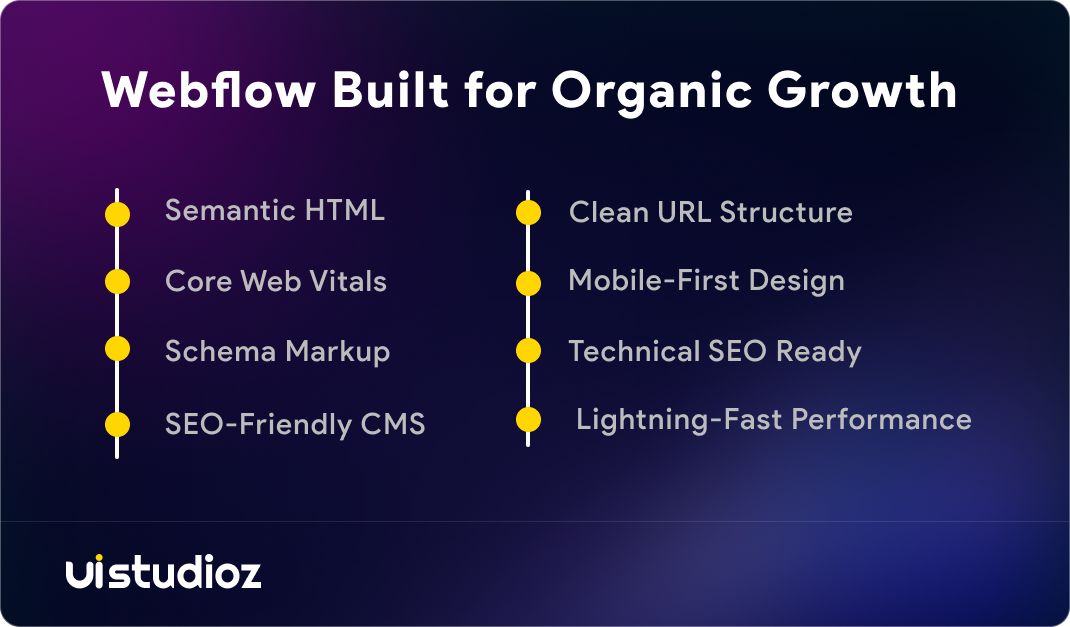
Webflow still leads on technical SEO. It generates cleaner, more semantic code, gives you granular control over meta tags, canonical URLs, redirects, and structured data, and doesn’t rely on plugins to unlock that control. Page speed also tends to favor Webflow, which is itself a ranking factor.
Wix has closed much of the gap. Its built-in SEO tools, guided setup wizard, and AI-generated meta suggestions make it far more capable than it was a few years ago. For a small local business, Wix’s SEO tools are now genuinely sufficient.
But for businesses competing in crowded organic search categories, the difference still shows up in the details — structured data flexibility, code weight, and how much manual control you have without third-party workarounds. This is covered in more depth in Is Webflow good for SEO?, and the Webflow SEO services page breaks down exactly what technical optimization looks like on this platform.
Neither platform hands you rankings automatically — content quality, backlinks, and site structure still matter more than the platform itself. But when two businesses publish similar content, the one built on cleaner, faster-loading code tends to have an easier time competing. That structural advantage is where the Webflow vs Wix SEO comparison consistently tilts toward Webflow, especially for content-heavy or competitive niches.
Performance & Speed
Both platforms have invested heavily in infrastructure. Webflow runs on a CDN powered by Fastly and Amazon CloudFront, with automatic SSL and HTTP/2 support baked in. Wix has also modernized its hosting stack, improving Core Web Vitals scores significantly compared to a few years ago.
In independent testing, Webflow generally produces lighter, more semantic code, which tends to translate into faster load times — especially on content-heavy pages. Wix has improved its mobile Lighthouse scores, but heavier template structures can still add overhead on more complex pages.
If your website’s speed is directly tied to conversions — think ecommerce or SaaS landing pages — this difference is worth taking seriously. Ongoing performance tuning also matters after launch, which is where a service like Webflow maintenance becomes relevant for growing sites.
Pricing
Pricing looks simple at first glance but gets more complex once you factor in real-world usage. As a general guide for 2026:
- Webflow: Paid plans typically fall in the range of $168–$240 per year for basic to CMS-level hosting, scaling higher for ecommerce or enterprise needs.
- Wix: Entry-level combo and unlimited plans typically range from $120–$180 per year, making it cheaper for small, static sites.
Wix is cheaper for simple, low-maintenance websites. Webflow costs more upfront but often works out more cost-effective long-term, since you avoid rebuild costs when your business outgrows a template-based platform.
There’s also a hidden cost worth factoring into any Webflow vs Wix pricing comparison: the cost of switching later. Businesses that outgrow Wix often end up paying for a full rebuild on Webflow anyway, plus the SEO work needed to recover lost rankings during the move. Starting on the right platform, even at a slightly higher initial cost, often saves money over a three-year horizon. A detailed pricing breakdown helps set expectations before committing to either route.
CMS & Blogging
Webflow’s CMS is built for structured, scalable content. You can create custom content types, relational fields, and dynamic filtering — capabilities that rival dedicated headless CMS platforms. This matters if you’re running a content-heavy blog, resource library, or multi-author publication.
Wix’s CMS, called Wix Velo/CMS collections, is simpler and easier to set up but offers less flexibility for complex content relationships. For a basic blog with occasional posts, it’s more than enough.
If your content strategy is core to your growth plan — think SaaS companies publishing weekly — Webflow’s CMS depth becomes a real advantage rather than a nice-to-have.
Ecommerce
Wix Stores is a genuinely strong option for small to mid-sized online stores. It’s built-in, beginner-friendly, and handles inventory, payments, and shipping without needing external tools.
Webflow’s ecommerce is more flexible but requires more setup. You can build fully custom storefronts using CMS fields, giving you design freedom that off-the-shelf ecommerce templates can’t match. This is why growing brands with specific UX requirements often choose Webflow despite the added setup time.
For a straightforward store with limited SKUs, Wix is the faster path. For a brand-first ecommerce experience with room to scale, Webflow’s flexibility wins. A well-structured website design foundation makes this flexibility count even more.
Payment processing, tax handling, and shipping integrations are solid on both platforms today, so the deciding factor usually comes down to design freedom versus setup speed. If your product catalog is small and stable, that setup speed matters less than it seems.
AI Features
Both platforms leaned hard into AI in 2026. Webflow introduced its AI Designer, which can handle layout suggestions, one-click meta title and description generation, and early support for AI-assisted coding within the platform.
Wix’s answer is Wix ADI and Wix Studio’s AI tools — fully automated site generation aimed at speed and beginner accessibility, though with less fine-grained customization than Webflow’s approach.
Neither platform’s AI fully replaces thoughtful design decisions yet, but both meaningfully cut down setup time. This shift is explored in more detail in the future of no-code web development with Webflow, and it’s especially relevant for Webflow builds for AI-driven businesses that need to move fast without sacrificing structure.
Integrations
Wix has a large app marketplace covering marketing, forms, bookings, and ecommerce add-ons — ideal for non-technical users who want plug-and-play functionality.
Webflow leans more on native integrations and third-party tools like Zapier or Make for connecting CRMs, marketing platforms, and custom workflows. It requires more setup but generally results in cleaner, more reliable connections for business-critical tools. If your workflow depends on multiple connected systems, the Webflow integration services page covers common setups for connecting these tools cleanly.
Hosting & Security
Both platforms host your website for you, which removes server management from your plate entirely. Webflow’s hosting includes automatic SSL, DDoS protection, and a globally distributed CDN. Wix offers similar baseline protections, with steady improvements to uptime and network distribution over the past year.
Neither platform requires you to manage security patches manually, which is a meaningful advantage over self-hosted platforms like WordPress. The difference mostly shows up in how much control you have over configuration — Webflow gives more granular access for teams with specific compliance or performance needs.
Customer Support
Wix offers 24/7 support through multiple channels, including live chat and callback options, which suits users who need quick answers without technical depth. Webflow’s support leans more toward documentation, a large community forum, and university-style learning resources, with direct support available on paid plans.
For beginners who want hand-holding, Wix’s support model feels more immediate. For technical teams who prefer self-service documentation and community-driven answers, Webflow’s resources are typically sufficient.
Real Business Scenarios
A SaaS startup preparing for a funding round needs a website that looks credible to investors and converts trial sign-ups. Webflow’s design flexibility and CMS-driven case study pages make this achievable without a full development team. We walk through a real example in how to create a high-converting Webflow SaaS website.
A local bakery opening its first online store doesn’t need advanced CMS structures or custom animations. Wix Stores gets them selling online within days, with minimal ongoing maintenance.
A design agency managing 15+ client sites needs consistency, white-label delivery, and scalability. Webflow’s component-based workflow and clean handoff between designers and developers make this far more manageable than juggling multiple Wix accounts.
A freelance consultant building a personal portfolio benefits most from Wix’s speed — a professional-looking site in an afternoon, without ongoing maintenance overhead.
Which Platform Is Right for You?
Choose Wix if you’re a solo founder, freelancer, or small business that needs a professional-looking website live quickly, without a dedicated design or development resource.
Choose Webflow if design control, technical SEO, scalability, or brand differentiation matter to your business — especially if you’re a startup, SaaS company, or agency managing multiple client projects. Agencies specifically benefit from workflows like white-label Webflow development, which lets you deliver Webflow builds under your own brand.
There’s no universal winner in the Webflow vs Wix debate. The right platform depends on where your business is today and where it’s heading in the next two to three years. Ask yourself one question before deciding: will this website still fit my business at twice its current size?
Wix to Webflow Migration
A common pattern we see: businesses start on Wix because it’s fast and cheap, then hit a ceiling once they need more design control, better SEO performance, or a CMS that can handle growing content needs.
Migrating from Wix to Webflow involves rebuilding your site’s structure, transferring content, mapping old URLs to new ones, and setting up 301 redirects to protect existing SEO equity. Done correctly, a migration shouldn’t cost you rankings — it should improve them over time. Our Webflow migration services page covers exactly how we handle this transition, including SEO preservation.
If you’re still deciding whether to make the jump, why Webflow works for startups breaks down the tradeoffs in more detail.
Pros & Cons
Webflow Pros: Clean code, advanced design control, strong technical SEO, scalable CMS, growing AI toolset. Webflow Cons: Steeper learning curve, higher pricing for advanced plans, ecommerce setup takes more time.
Wix Pros: Extremely easy to use, fast setup, affordable entry pricing, strong built-in ecommerce for small stores. Wix Cons: Less design flexibility, heavier code output, limitations show up as your site scales.
Common Mistakes
Businesses often choose a platform based on price alone, without considering where their website needs to be in two years. Switching platforms later costs far more — in time, SEO equity, and developer hours — than choosing correctly the first time.
Another common mistake: assuming built-in SEO tools are “set and forget.” Both platforms give you the tools, but technical SEO still requires ongoing attention, especially as your site grows. This is a gap we regularly fix through structured Webflow CRO and SEO work for clients moving off template-based platforms.
A third mistake: comparing Webflow vs Wix purely on monthly price without factoring in the time your team spends fighting platform limitations. Hours lost to workarounds add up fast, especially for teams without dedicated developers.
Frequently Overlooked Factors
Most comparisons stop at design and pricing, but a few factors deserve more attention:
- Code ownership: Webflow lets you export clean code; Wix sites are locked to its own infrastructure, making platform switches harder later.
- Vendor lock-in: Wix’s proprietary systems make migrating away more complex than Webflow’s more open, standards-based output.
- Team handoff: Webflow’s structure makes it easier for developers and designers to collaborate; Wix is built more for single-owner management.
- Long-term scalability: What works for a 10-page site may not work at 200 pages — Webflow’s CMS structure handles that growth more gracefully.
Expert Insights & Community Feedback
Across designer and developer communities, the consensus is fairly consistent: Wix is favored for speed and beginner accessibility, while Webflow is preferred by professionals who need design precision and technical control. Community discussions on platforms like Reddit’s web design forums frequently echo this same split — Wix for “get it live fast,” Webflow for “build it right.”
Neither community view is wrong. They reflect two different sets of priorities, which is exactly why this comparison exists.
Final Scorecard
| Category | Winner |
| Ease of Use | Wix |
| Design Flexibility | Webflow |
| SEO Control | Webflow |
| Performance | Webflow |
| Pricing (entry-level) | Wix |
| CMS Power | Webflow |
| Ecommerce (small stores) | Wix |
| Ecommerce (custom/scalable) | Webflow |
| AI Tools | Tie |
| Long-term Scalability | Webflow |
Who Should Choose Webflow?
- SaaS companies
- Agencies
- Startups
- Businesses investing in SEO
- Growing ecommerce brands
- Custom website projects
Who Should Choose Wix?
- Personal portfolios
- Small local businesses
- Freelancers
- Restaurants
- Event websites
- Simple brochure websites
Final Verdict
If you need a website live today with zero learning curve, Wix remains a genuinely solid choice – especially for small businesses, freelancers, and simple online stores.
If your website is a serious, long-term business asset – one that needs to rank, convert, and scale – Webflow is the more future-proof platform in 2026. Its combination of clean code, design freedom, and technical SEO control is difficult to match once your business moves past the “just get something live” stage.
This is exactly the kind of build Uistudioz specializes in – helping businesses move from “just live” to genuinely built-to-scale.
Why Choose UiStudioz
Choosing Webflow is only half the equation – building it right is the other half. At UiStudioz, we specialize in Webflow development for startups, SaaS companies, and agencies that need more than a template.
Our approach pairs design with technical SEO from day one, covering everything from initial architecture to Wix-to-Webflow migrations. Examples of past projects are visible in the work portfolio, and client feedback is on thetestimonials page.
If you’re ready to talk through specific requirements, our team is available for a book a call session.
Conclusion
Webflow vs Wix isn’t really about which platform is “better” in the abstract – it’s about which one fits where your business is right now, and where it’s headed. Wix removes friction for fast, simple launches. Webflow removes ceilings for businesses that plan to grow.
If you’re building a website that’s meant to grow alongside your business – not just go live Webflow offers greater flexibility, stronger SEO capabilities, and better long-term scalability. If you’re unsure which platform fits your goals, the UiStudioz team can help you evaluate your requirements and recommend the best solution.
If you’re leaning toward Webflow and want a team that builds it correctly the first time, contact us and we’ll help you map out the right approach.

FAQs
What is the difference between Webflow and Wix?
Webflow is a visual design platform that generates clean, custom code and offers deep design control, built for scalability. Wix is a template-based builder focused on speed and ease of use for beginners.
Which is better: Webflow or Wix?
It depends on your goals. Wix is better for fast, simple websites with no learning curve. Webflow is better for businesses that need design control, strong technical SEO, and room to scale.
Is Webflow better than Wix for SEO?
Generally, yes. Webflow offers more granular technical SEO control and cleaner code, though Wix has significantly improved its built-in SEO tools in recent years.
Can I migrate from Wix to Webflow?
Yes. Migration involves rebuilding your site structure, transferring content, and setting up redirects to preserve SEO. It’s a common move for businesses outgrowing Wix’s limitations.
Is Webflow worth learning in 2026?
For designers and agencies, yes — Webflow skills translate into the ability to build professional, scalable websites without relying on developers for every change.
Does Webflow rank better on Google?
Not automatically — rankings depend on content, links, and strategy. But Webflow’s cleaner code and technical SEO control give it a structural advantage over Wix.
Which platform should beginners choose?
Beginners with no design or technical background will find Wix faster to learn. Those willing to invest time upfront for long-term flexibility should consider starting with Webflow.