Migrating a marketing website is rarely simple. Migrating an enterprise website — one with thousands of pages, multiple stakeholders, legacy integrations, and years of accumulated search equity — is a different kind of project altogether. An enterprise Webflow migration touches SEO, design, development, compliance, and revenue at the same time, which is exactly why so many large-scale moves go wrong: teams underestimate the redirect mapping, skip the stakeholder alignment step, or treat a 10,000-page migration like a five-page one.
This guide breaks down what actually separates a successful large-scale website migration to Webflow from a risky one — the audit process, the phased execution framework, the technical SEO safeguards, and the cost and ROI questions enterprise teams ask before committing a budget. At Uistudioz, we work with growing and established businesses moving off legacy CMS platforms, so this framework reflects the questions that come up most often in real migration conversations.
Why Enterprise Website Migration Is Different (And Riskier)
A small business site migration usually means moving a few dozen pages and updating some metadata. An enterprise CMS migration strategy has to account for far more moving parts: thousands of indexed URLs, multiple content owners across regions or departments, integrations with CRM and marketing automation tools, and a brand that can’t afford a visible dip in search visibility while the move happens.
The risk isn’t hypothetical. Search engines evaluate a site based on URL structure, content signals, and technical health — and when hundreds or thousands of URLs change at once without a clean mapping strategy, ranking and traffic disruption during the transition window is common. That’s the core reason enterprise teams need a website migration framework for enterprises, not a generic checklist built for smaller sites.
Why Enterprises Are Outgrowing Legacy CMS Platforms
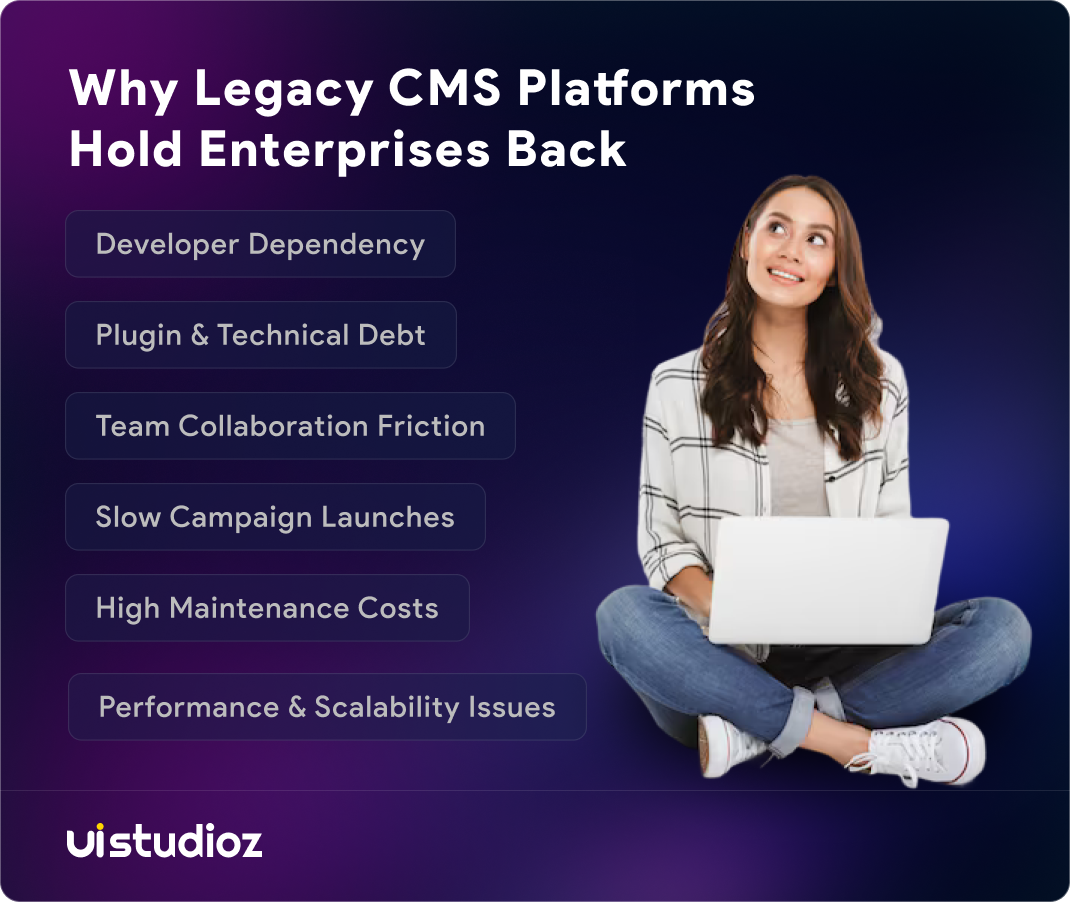
Most large organizations aren’t migrating because Webflow is trendy — they’re migrating because their current platform has become a bottleneck. A handful of patterns show up again and again in Enterprise CMS migration challenges
- Development dependency. Every content change, landing page, or campaign launch requires a developer, which slows down marketing velocity.
- Plugin and maintenance overhead. Legacy WordPress or custom-built enterprise sites often carry years of plugins, custom code, and technical debt that make updates risky.
- Multi-team friction. Marketing, design, and engineering end up blocking each other because the platform wasn’t built for collaborative, no-code editing.
- Performance ceilings. Older CMS architectures frequently struggle with Core Web Vitals at scale, especially once a site crosses a few thousand pages.
These breaking points are why “modern CMS for enterprise websites” has become a genuine boardroom conversation rather than just an IT preference. Teams working through a full Webflow development build alongside a migration often use the transition as a chance to fix structural issues, not just move files from one platform to another.
Is Webflow Actually Ready for Enterprise Scale?
This is the question every serious evaluation has to answer honestly, because the answer depends on the type of enterprise.
Webflow tends to be a strong fit when:
- Marketing teams need to publish and edit without waiting on developers
- The site has complex design requirements but a manageable CMS structure (product pages, case studies, blog, resource libraries)
- SEO and page speed are priorities, since Webflow generates clean, semantic code and hosts on a CDN by default
- The organization wants faster campaign and landing page deployment across regions
Webflow is less suitable when:
- The site depends on deeply custom backend logic, complex user permissions, or transactional functionality that no-code tooling can’t reasonably replicate
- Content volume is extremely high (50,000+ dynamic items) without a plan for CMS structuring, since collection limits and item architecture need careful planning at that scale
- There’s a hard requirement for on-premise hosting or highly specific compliance infrastructure
Global, product-led organizations — particularly SaaS companies scaling across markets — tend to see the clearest wins, since Webflow for SaaS companies benefits from faster iteration without sacrificing the technical SEO foundation that content-driven growth depends on.
The Enterprise Webflow Migration Framework
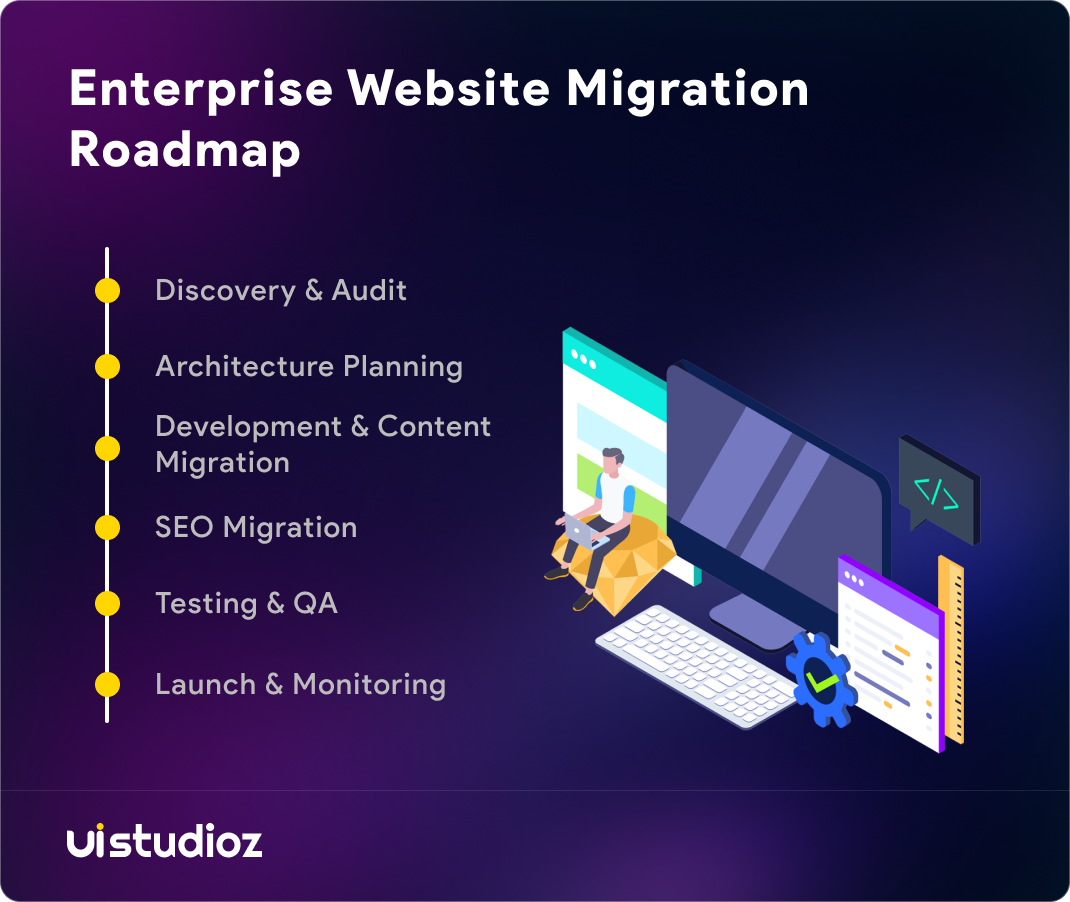
A large-scale migration succeeds or fails based on sequencing. Skipping steps — or running them in parallel without a clear dependency map — is where most enterprise migration risk originates. Here’s the phased approach that keeps a migration of this size controlled and reversible at every stage.
Phase 1 — Discovery & Audit. Before anything moves, the existing site needs a full technical and content audit: crawl the entire site, document every indexed URL, benchmark current organic traffic and rankings by page, and inventory every content type, template, and integration in use. This phase also includes stakeholder alignment — getting SEO, design, engineering, and content owners agreed on scope before a single page is touched.
Phase 2 — Architecture Planning. This is where the new information architecture gets designed and, critically, where the URL mapping and redirect strategy gets built. Every existing URL needs a documented destination on the new site. For enterprise sites, this mapping document often runs into the thousands of rows, and it’s the single most important artifact in the entire migration.
Phase 3 — Development & Content Migration. The Webflow build happens in parallel with structured content migration — pages, CMS collections, images, and forms — on a staging environment, never directly on the live domain. QA at this stage should compare every migrated page against its original for content parity, not just visual similarity.
Phase 4 — SEO Migration. Technical SEO configuration (meta titles, descriptions, canonical tags, structured data, sitemap generation) gets validated against the URL mapping document before launch. This is also when 301 redirects get built and tested on staging so nothing goes live untested.
Phase 5 — Testing & QA. Full functional, cross-browser, and stakeholder UAT testing, plus a final redirect audit to confirm every mapped URL resolves correctly.
Phase 6 — Launch & Monitoring. Launch day itself should be treated as a monitoring exercise, not a one-time event. Index coverage, crawl behavior, and organic traffic get tracked daily for the first two weeks, then weekly for the following months, since ranking fluctuation immediately after a migration is normal and doesn’t necessarily indicate a problem.
Enterprise teams evaluating enterprise Webflow migration services should expect a partner to walk through each of these phases explicitly, with defined deliverables at every stage — not a vague timeline.
Enterprise-Scale Technical SEO and Redirect Strategy
Preserving rankings during a large migration comes down to a small number of non-negotiables, and getting them right matters more at enterprise scale because a single mapping error can affect hundreds of pages, not just one.
301 redirect architecture for high page counts. Every old URL that has ever earned organic traffic needs a 1:1 mapping to its new equivalent. For sites with 10,000+ URLs, this typically means grouping redirects by template or content type rather than mapping page-by-page manually, then validating the full set against server logs and Search Console data before launch.
Handling URL parameters and dynamic URLs. Faceted navigation, filtered views, and tracking parameters can create massive amounts of near-duplicate content if they aren’t addressed deliberately during the move — this is one of the more common sources of duplicate content issues during migration.
Multi-language and multi-region considerations. Organizations with localized content need to preserve hreflang relationships and regional URL structures, which adds another layer to the mapping document.
Preventing index bloat. Old, low-value, or duplicate URLs shouldn’t simply be redirected out of habit — some should be retired with a proper 410 or consolidated into a stronger page, rather than adding noise to the new site’s index.
Google’s own site move documentation is worth treating as a primary reference here: it confirms that permanent redirects don’t cause a loss in ranking signal, that temporary traffic fluctuation during reindexing is expected, and that splitting a large move into sections is a legitimate way to de-risk it. For a deeper walkthrough of the SEO side specifically, our SEO-safe website migration guide covers the metadata, sitemap, and post-launch audit steps step by step.
Webflow vs WordPress, Drupal, and Contentful for Enterprise
Enterprise CMS platform comparison usually comes down to a trade-off between control, editorial speed, and total cost of ownership.
Webflow vs WordPress for enterprise. WordPress offers flexibility through plugins, but that flexibility comes with ongoing maintenance burden — security patches, plugin conflicts, and hosting management. Webflow trades some of that raw extensibility for a managed, visual-first environment where marketing teams can publish independently.
Webflow vs Drupal for enterprise. Drupal remains strong for organizations with highly complex permission structures or deeply custom data models, but it typically requires a dedicated development team to maintain. Webflow suits teams that want enterprise-grade design and CMS control without a large in-house engineering function dedicated to the CMS itself.
Webflow vs Contentful (headless CMS). Contentful and other headless platforms separate content from presentation entirely, which is powerful for multi-channel content distribution but requires a custom front-end build. Webflow bundles the visual builder and CMS together, which is usually faster to ship for marketing-led sites, though less suited to organizations distributing content across many non-web channels.
| Factor | Webflow | WordPress | Drupal | Contentful (Headless) |
| Editorial speed | High — visual, no-code publishing | Medium — plugin-dependent | Low — dev-dependent for most changes | Medium — needs a connected front end |
| Maintenance overhead | Low — managed hosting, no plugins | High — plugin updates, security patching | High — requires dedicated dev team | Medium — content layer only, front end managed separately |
| Best fit | Marketing-led sites, SaaS, content-heavy brands | Flexible sites with plugin-based needs | Complex permissions, custom data models | Multi-channel content distribution |
| SEO foundation | Strong — clean code, native technical SEO controls | Strong, but plugin quality varies | Strong, but requires manual configuration | Depends entirely on the front-end build |
| Typical enterprise limitation | Very high dynamic content volume (50,000+ items) needs careful CMS planning | Plugin conflicts and technical debt at scale | High implementation and maintenance cost | No built-in presentation layer — extra dev work required |
Whichever platform wins, most enterprise migrations also involve reconnecting the existing tech stack — CRM, analytics, marketing automation — after the move, which is where Webflow integration services become part of the migration scope rather than an afterthought.
Enterprise Migration Cost and ROI
Enterprise migration pricing varies widely because the variables that affect price are rarely about page count alone. Content complexity, the number of custom integrations, whether the migration includes a redesign, and the depth of the SEO migration work all move the number significantly. Smaller migrations can run in the low thousands, while genuinely large, multi-integration enterprise projects often run well into six figures once design, development, and SEO work are all included.
The ROI case tends to rest on two pillars. The first is direct cost reduction — fewer developer hours spent on routine content changes, and lower ongoing maintenance spend compared to a plugin-heavy legacy stack. The second is operational: faster campaign deployment, fewer cross-team bottlenecks, and a platform that scales content volume without a proportional increase in technical overhead. Our breakdown of Webflow pricing is a useful companion read for teams trying to separate platform cost from migration cost before building a business case.
Should Your Enterprise Migrate to Webflow?
A migration is worth pursuing seriously when a few things are true at once: content publishing is currently blocked by developer availability, the existing platform’s maintenance cost is rising faster than its value, and the organization is prepared to invest in a proper audit and redirect strategy rather than a rushed move. If those conditions aren’t in place yet, it’s usually worth fixing the process gaps first — a migration won’t solve a governance problem on its own.
For teams that are ready, ongoing platform support matters just as much as the migration itself. Post-launch monitoring, content governance, and continued optimization are typically handled through Webflow maintenance rather than a one-time project, since the weeks immediately after launch are when most issues surface.
If your organization is weighing an enterprise website migration and wants a second opinion on scope, timeline, or SEO risk before committing budget, get in touch with Uistudioz to talk through what your specific migration would actually involve.
FAQs
How long does enterprise website migration to Webflow take?
Timelines depend heavily on page count and integration complexity, but enterprise migrations commonly run anywhere from 10 to 16+ weeks once discovery, redirect mapping, development, SEO validation, and QA are all accounted for.
Can you migrate to Webflow without losing SEO rankings?
Yes, when the migration follows a documented URL mapping and redirect plan, preserves metadata and structured data, and is monitored closely post-launch. Temporary ranking fluctuation during reindexing is normal and isn’t the same as a permanent loss.
Is Webflow suitable for websites with tens of thousands of pages?
It can be, but very high page counts require deliberate CMS Collection architecture planning in advance, since content modeling decisions made early affect how the site scales later.
How do you handle redirects for websites with 10,000+ URLs?
By grouping redirects logically (by template, category, or URL pattern) rather than mapping every single page manually, then validating the full redirect set against real crawl and Search Console data before launch.
What’s the best CMS for enterprise websites?
There isn’t a universal answer — it depends on whether the priority is editorial speed (Webflow), deep customization (Drupal or custom builds), or channel-agnostic content distribution (headless platforms like Contentful).
How do you preserve Core Web Vitals during migration?
By auditing image and script weight before migration, rebuilding with performance-conscious interactions, and re-testing Core Web Vitals on staging before launch rather than discovering issues after the site goes live.