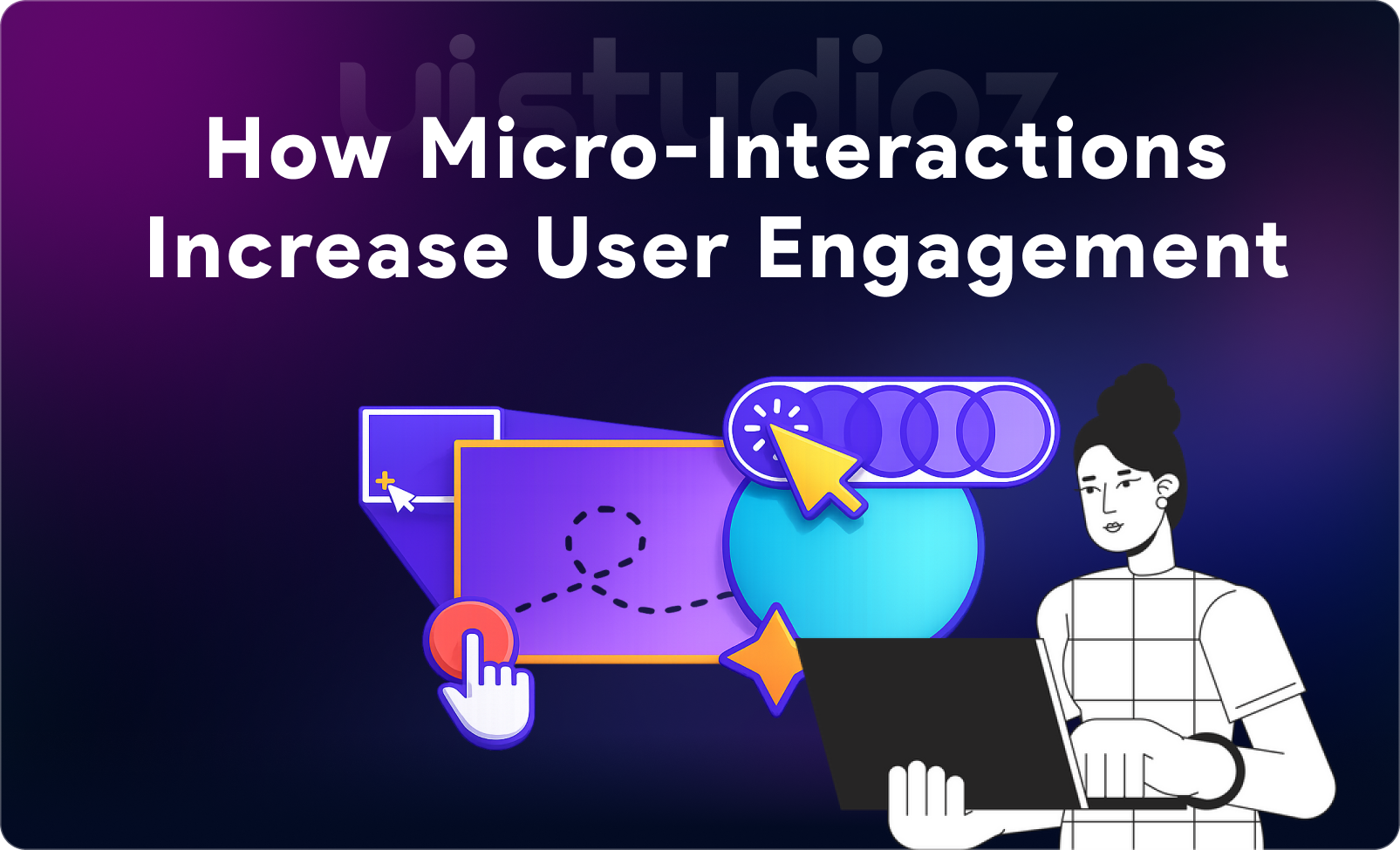
You tap the “like” button on Instagram, and a heart bursts into color. You pull down to refresh your email, and a satisfying animation plays. You hover over a button, and it gently grows larger. These aren’t random design choices—they’re micro-interactions, the subtle, often overlooked elements that can make or break user engagement. In fact, micro-interactions user engagement by providing instant feedback and creating a more intuitive, enjoyable user experience.
In today’s digital landscape where the average attention span has dropped to just 8 seconds, every interaction matters. Users no longer tolerate clunky, unresponsive interfaces. They expect instant feedback, smooth transitions, and interfaces that feel alive. The difference between a user staying on your site or bouncing often comes down to these tiny moments of interaction.
Micro-interactions user engagement by providing instant feedback, guiding user behavior, and creating a more intuitive, enjoyable experience. The thesis is simple: small design details create massive engagement impact. Understanding how micro-interactions increase user engagement isn’t just good UX practice—it’s essential for business growth, higher conversions, and long-term customer retention.
What Are Micro-Interactions?
Micro-interactions are small, single-purpose animations or design elements that respond to user actions or system triggers. They exist to accomplish a single task while providing immediate feedback that makes digital experiences feel more human and intuitive.
Think of them as the “body language” of digital interfaces. Just as a nod or smile communicates understanding in real life, micro-interactions confirm that your app or website is listening and responding.
The Four Essential Parts of Every Micro-Interaction
According to Dan Saffer, who literally wrote the book on micro-interactions, each one consists of four components:
- Trigger – What initiates the interaction (user clicks a button, or the system detects an error)
- Rules – What happens once triggered (the logic behind the interaction)
- Feedback – The visual, auditory, or haptic response users receive
- Loops & Modes – Whether the interaction repeats or changes over time
For example, when you toggle a switch from “off” to “on”:
- Trigger: You tap the switch
- Rules: The state changes from inactive to active
- Feedback: The switch slides smoothly, changes color
- Loops: It stays in that state until you tap again
Understanding these components helps designers create micro-interactions in UX design that feel intentional rather than decorative.
Why Micro-Interactions Matter in Modern UX
The benefits of micro-interactions in UI extend far beyond aesthetics. They serve critical functional purposes that directly impact how users perceive and interact with your product.
Instant Feedback Equals Better Usability
Users need to know their actions are registered. Without feedback, uncertainty creeps in. Did the form submit? Is the page loading? When well-designed micro-interactions provide instant visual confirmation, they eliminate this guesswork and build confidence in your interface.
Reducing Friction in User Journeys
Every moment of confusion is a potential exit point. Micro-interactions smooth the path from awareness to action by guiding users naturally through flows. This is particularly crucial when you’re looking at how to reduce bounce rate with UX design—engaged users who understand what’s happening stay longer.
Making Interfaces Feel “Alive”
Static interfaces feel robotic and cold. Strategic animations create the perception that your product is responsive and intelligent. This emotional layer transforms functional tools into experiences users actually enjoy using, which is central to why micro-interactions matter in UX.
Building Emotional Connection With Users
The difference between a good product and one users love often comes down to delight. Small, unexpected animations—a playful loading state, a satisfying completion animation—create positive emotional associations that keep users coming back.
How Micro-Interactions Improve Micro-Interactions User Engagement
Let’s dive deep into the specific mechanisms through which micro-interactions drive measurable engagement improvements. These aren’t just theoretical benefits—they’re proven strategies that top companies use to keep users active and invested.
1. Provide Immediate Feedback
Examples of micro-interactions that boost engagement all share one trait: they confirm user actions instantly.
Button animations are the most common example. When a user clicks “Submit,” the button might compress slightly, change color, or show a loading spinner. This immediate response assures them their action was registered, preventing duplicate submissions and reducing frustration.
Form validation micro-interactions are particularly powerful for engagement. Rather than waiting until submission to show errors, real-time validation provides instant feedback as users type. A green checkmark appearing next to a correctly formatted email address or a gentle shake animation on an incorrect password creates a conversation between user and interface.
Loading animations for better engagement turn potentially frustrating wait times into tolerable, even enjoyable moments. Instead of a blank screen, users see progress bars, skeleton screens, or creative animations that maintain engagement during processing.
2. Guide User Behavior
Strategic micro-interactions act as invisible guides, directing attention and suggesting actions without explicit instructions.
Scroll animations for websites draw users deeper into content. As users scroll, elements fade in, slide into position, or reveal themselves through parallax effects. This creates a sense of discovery and encourages continued scrolling—a critical factor in how to improve user engagement on website metrics.
Hover effects examples UI designers use include buttons that change color, elevate with a shadow, or reveal additional information when a cursor passes over them. These subtle cues signal interactivity and guide users toward clickable elements.
Transition effects in web design smooth the movement between states, helping users maintain context as interfaces change. Rather than jarring cuts between screens, smooth transitions show the relationship between elements and reduce cognitive load.
3. Create Delight & Emotional Impact
While functionality is critical, delight creates memorable experiences that users share and return to.
Consider social media “like” animations—the heart burst on Instagram or the rising balloons on Facebook. These celebratory micro-interactions transform a simple data input into an emotional expression, dramatically increasing engagement.
Adding hover effects for better UX can inject personality. Mailchimp’s high-five animation when you successfully send a campaign, or Slack’s celebration emoji when you complete a task—these moments don’t serve an obvious functional purpose, but they make users smile and feel good about using the product.
4. Improve Navigation & Flow
Confusion kills engagement. Micro-interactions that clarify navigation and maintain flow keep users oriented and active.
Mobile app gesture interactions like swipe-to-delete or pull-to-refresh have become so intuitive that users expect them. These micro-interactions for mobile apps leverage muscle memory to create effortless navigation.
Breadcrumb animations that highlight the current page or menu items that smoothly expand and collapse reduce the mental effort required to navigate complex interfaces.
5. Encourage Actions & Conversions
This is where micro-interactions directly impact business metrics. How micro-interactions increase conversions comes down to reducing friction and increasing confidence at critical decision points.
Button animation UX best practices include subtle pulsing effects on primary CTAs that draw attention without being obnoxious, or hover effects that make buttons feel “pressable” and encourage clicks.
eCommerce UX micro-interactions like animated “Add to Cart” buttons that show the product flying into the cart icon provide satisfying confirmation that increases the likelihood of completing checkout.
Progress indicators during multi-step processes (checkout, onboarding, form completion) use micro-interactions to show advancement, reducing abandonment rates by making the end goal feel achievable.
Real-World Examples of Micro-Interactions
Understanding micro-interactions examples in web design helps solidify these concepts.
Social Media Interactions
- Twitter’s heart animation when you like a tweet provides instant gratification
- LinkedIn’s reaction emojis that expand on hover encourage more nuanced engagement
- Instagram’s double-tap to like creates an intuitive, tactile interaction
Progress Indicators in Apps
- Duolingo’s progress bar that fills with each completed lesson, complete with celebratory animations
- Fitness apps showing real-time workout progress with animated rings or bars
- Download/upload indicators that transform boring waits into engaging visual experiences
Swipe Gestures in Mobile Apps
- Tinder’s swipe mechanic that became so iconic it’s now a cultural reference
- Email apps that allow swipe-to-delete or swipe-to-archive
- Banking apps that use swipe gestures to reveal transaction details
Pull-to-Refresh Interactions
First popularized by Twitter, this gesture has become standard because it provides immediate, tactile feedback that the app is responding to the user’s request for updated content.
At Uistudioz, we’ve implemented these principles across dozens of projects, consistently seeing engagement improvements when micro-interactions are thoughtfully integrated.
Best Practices for Designing Micro-Interactions
Knowing how to design micro-interactions effectively requires balancing function, performance, and delight.
Keep It Subtle and Purposeful
Every micro-interaction should serve a clear purpose. Ask: “Does this help users complete their task, provide necessary feedback, or create meaningful delight?” If the answer is no, remove it.
The micro-interactions best practices we follow at Uistudioz’s UI/UX design services always prioritize purpose over decoration.
Prioritize Speed and Performance
Animations should never slow down the interface. The optimal duration for most micro-interactions is 200-500 milliseconds—fast enough to provide feedback but slow enough to be perceived and understood.
UI animation techniques for engagement must be performance-optimized. Use CSS transforms and opacity changes rather than properties that trigger layout recalculations. On mobile, consider device capabilities and reduce animation complexity for lower-end devices.
Maintain Consistency Across UI
Users develop expectations. If one button provides tactile feedback on click, all similar buttons should behave the same way. Inconsistent interactions create confusion and erode trust.
Establish a design system that defines standard micro-interactions for common elements (buttons, forms, cards, etc.) and apply them consistently throughout your product.
Focus on Usability, Not Decoration
Beautiful animations that confuse users or slow down task completion are bad design. Always test whether your micro-interactions actually improve usability metrics like task completion time, error rates, and user satisfaction.
Test With Real Users
Your assumptions about what’s delightful or helpful might not match reality. A/B test different micro-interaction approaches and measure impact on engagement metrics like session duration, page depth, and conversion rates.
Our approach to UX research in product design always includes testing micro-interactions with target users before full implementation.
Common Mistakes to Avoid
Even well-intentioned micro-interactions can backfire when designers make these common errors:
Overusing Animations
More isn’t better. When everything moves, nothing stands out, and interfaces become exhausting rather than engaging. Use animation strategically to highlight important moments and information.
Slowing Down the Interface
If users notice loading delays caused by animations, you’ve failed. Performance must always take priority. It’s better to have no animation than one that makes your product feel sluggish.
Ignoring Accessibility
Motion can cause discomfort or disorientation for users with vestibular disorders. Always respect the prefers-reduced-motion media query and provide alternatives for users who disable animations.
Color changes alone aren’t sufficient for conveying state changes—combine them with icons, text, or position changes to ensure color-blind users receive the same feedback.
Designing Without Clear Purpose
“It looks cool” isn’t a valid design rationale. Every micro-interaction should solve a specific user need or communication challenge. If you can’t articulate why it exists, remove it.
Micro-Interactions for Different Platforms
Creating micro-interactions in web design differs significantly from mobile or SaaS contexts. Each platform has unique opportunities and constraints.
Web Design
Hover effects are web-exclusive opportunities. How to use feedback animations in UI on web platforms often centers on hover states that preview interactivity.
Scroll animations for websites create narrative experiences as users progress down a page. Elements can fade in, slide into position, or reveal information based on scroll position.
Transition effects in web design between pages or sections maintain continuity and reduce the jarring feeling of content jumps.
Check out our thoughts on website design best practices for more web-specific guidance.
Mobile Apps
Micro-interactions in mobile UI design leverage touch gestures and device capabilities that don’t exist on web.
Haptic feedback provides physical confirmation of interactions, making touch interfaces feel more tangible and responsive.
Gesture-based interactions like swipe, pinch, and long-press create intuitive navigation that feels natural on touch devices.
Ways to increase user interaction in apps include notification animations that gently draw attention without being intrusive, and onboarding micro-interactions that teach gesture controls through use.
SaaS Products
Micro-interactions in SaaS products often focus on reducing complexity and guiding users through sophisticated workflows.
Tooltips that animate in when users hover over unfamiliar features provide just-in-time education without cluttering the interface.
Progress indicators for multi-step processes reduce abandonment by showing users how close they are to completion.
Success animations after completing important actions (saving a document, processing a payment) provide reassurance and positive reinforcement.
eCommerce
eCommerce UX micro-interactions directly impact revenue by reducing friction in purchase flows.
Add-to-cart animations that show products flying into the cart icon provide satisfying confirmation and make the abstract action of “adding to cart” feel tangible.
Quantity selector animations that smoothly increment/decrement values feel more responsive than static updates.
Checkout progress indicators with animated transitions between steps reduce anxiety about how many more steps remain.
Tools & Technologies to Create Micro-Interactions
Modern designers have numerous options for implementing micro-interactions, from code to no-code solutions.
CSS Animations & Transitions
For simple effects like hover states, color changes, and basic movement, pure CSS is the most performant option. CSS transitions and keyframe animations can accomplish surprising sophistication without JavaScript overhead.
JavaScript Libraries
For more complex interactions, libraries like:
- GSAP (GreenSock Animation Platform) – Industry-standard for sophisticated animations
- Anime.js – Lightweight library for smooth animations
- Framer Motion – React-specific animation library with intuitive API
Design Tool Integrations
Webflow offers visual interaction designers that let you create complex micro-interactions without code.
Principle and ProtoPie specialize in high-fidelity interactive prototypes that can test micro-interactions before development.
Lottie Animations
Lottie by Airbnb renders After Effects animations in real-time, allowing designers to create complex animations in familiar tools and implement them as lightweight JSON files.
For teams looking to integrate these capabilities, our AI tools for UI/UX designers guide explores modern workflow enhancements.
Impact on Conversions & Business Growth
The business case for investing in micro-interactions is compelling when you examine the data.
Better Engagement = Longer Session Time
Users who feel confident and delighted by your interface stay longer. Longer sessions correlate with deeper product understanding, increased feature adoption, and higher conversion likelihood.
Google Analytics data consistently shows that sites with thoughtful micro-interactions see 20-30% longer average session durations compared to static alternatives.
Increased Retention
First impressions matter. Users who experience smooth, responsive interfaces in their first session are significantly more likely to return. The emotional connection created by well-designed micro-interactions transforms casual users into loyal customers.
Higher Conversion Rates
How micro-interactions increase conversions is straightforward: they reduce uncertainty and friction at critical decision points. When users feel confident that their actions will succeed, they’re more likely to take those actions.
One e-commerce client saw a 15% increase in checkout completion after implementing form validation micro-interactions that provided real-time feedback rather than errors only at submission.
Stronger Brand Perception
Polish matters. Micro-interactions signal that a company cares about details and user experience. This attention to craft elevates brand perception and justifies premium pricing.
As we discuss in UI/UX design for business growth, design quality directly correlates with perceived product quality.
Future Trends in Micro-Interactions
The field continues evolving as new technologies and user expectations emerge.
AI-Driven Personalization
Future micro-interactions will adapt to individual user behavior. AI might learn that you prefer verbose feedback while another user prefers minimal interactions, adjusting animations accordingly.
Predictive micro-interactions could anticipate user needs and proactively offer assistance through subtle animations and suggestions.
Voice & Gesture-Based Interactions
As voice interfaces and spatial computing mature, micro-interactions will expand beyond visual feedback to include audio cues, spatial positioning, and gesture recognition.
Immersive UI (AR/VR Influences)
Even in traditional 2D interfaces, we’re seeing depth, layering, and spatial relationships become more sophisticated. Techniques from AR/VR design—like depth-based focus and spatial audio—are beginning to influence web and mobile micro-interactions.
Conclusion: Small Details, Big Results
Micro-interactions are essential in modern digital design—they shape how users feel, engage, and return. It’s not big features, but small, thoughtful interactions that make products feel intuitive, responsive, and human.
From form feedback to subtle animations, great micro-interactions often go unnoticed—but their absence is felt. At Uistudioz, we create purposeful UI/UX designs that boost engagement, retention, and conversions.
Whether you need comprehensive UI/UX design services, want to explore how UX design can generate leads, or are ready to discuss a specific project, we’re here to help transform your digital products through thoughtful, purposeful design.
Get in touch with our team to discuss how we can elevate your user experience through strategic micro-interactions and UI/UX strategies for better customer experience. Let’s build something impactful together.

Frequently Asked Questions
What are micro-interactions in UX design?
Micro-interactions are small, single-purpose animations or design elements that provide feedback, guide users, or add delight to digital interfaces. Examples include button hover effects, loading animations, and form validation feedback.
How do micro-interactions increase user engagement?
Micro-interactions increase engagement by providing instant feedback, reducing uncertainty, guiding user behavior, creating emotional connections, and making interfaces feel responsive and alive rather than static and robotic.
What are examples of effective micro-interactions in web design?
Effective examples include animated “Add to Cart” buttons, real-time form validation, hover effects on clickable elements, scroll-triggered animations, progress indicators, and smooth page transitions.
What are the benefits of micro-interactions in UI?
Benefits include improved usability through instant feedback, reduced bounce rates, higher conversion rates, increased user satisfaction, stronger emotional connections, and better overall user retention.
How do I design micro-interactions that actually work?
Keep them subtle and purposeful, prioritize performance and speed, maintain consistency across your interface, focus on usability over decoration, and always test with real users to measure impact.
Do micro-interactions improve conversion rates?
Yes, micro-interactions can significantly improve conversions by reducing friction at critical decision points, providing confidence-building feedback, and making actions feel more intuitive and trustworthy.
What’s the ideal duration for micro-interactions?
Most effective micro-interactions last between 200-500 milliseconds—fast enough to feel instant but slow enough to be perceived and understood by users.
How can I add micro-interactions to my website without coding?
Tools like Webflow offer visual interaction designers, while libraries like Lottie allow designers to create animations in After Effects and implement them as lightweight code. Many modern website builders also include pre-built animation options.
Are micro-interactions accessible?
Micro-interactions can be accessible when designed properly. Always respect the prefers-reduced-motion setting, don’t rely solely on color changes, provide text alternatives for critical feedback, and ensure animations don’t cause vestibular discomfort.
What’s the difference between micro-interactions and animations?
All micro-interactions involve some form of animation, but not all animations are micro-interactions. Micro-interactions are specifically designed to provide feedback, guide behavior, or accomplish a single, focused task—they’re functional, not just decorative.